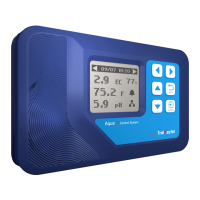
Thank you for purchasing our BETA-8 CO2 Controller, which is a simple and affordable way to control your
CO2 injection device. Choose your desired CO2 level and the Controller will maintain that specified value. A
built-in photocell on the sensor will deactivate CO2 injection at night. A remote sensor with 16ft long cable
allows close placement to plant canopy.
Night Mode: the Controller will turn off the output of CO2 device.
Day Mode:
lf the Fuzzy Logic function is disabled, the unit will OPEN the output of the CO2 device when the current
CO2 level is below setpoint, and CLOSE the output when the current CO2 level is above the CO2 setpoint
plus deadband value.
lf the FuzzyLogic function is enabled, the unit will fully OPEN the output of CO2 device when the current
CO2 level is much lower than the setpoint. When the CO2 level is close to the setpoint, the unit will
calculate and send PWM signal to control the output of CO2 device, The PWM cycle is 5 seconds.
CO2 PPM Controller (BETA-8)
User Manual
OVERVIEW
01
a)
b)
BETA Series -Single Controller
BETA-8

 Need help?
 General

 To Next Page