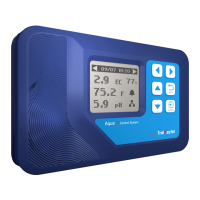
Mount the Controller on wall, place the sensor in a well ventilated area.
Connect the CO2 sensor to the Controller.
Plug the Controller into a 120V NEMA 5-15 wall outlet.
Program the desired setting before connecting to CO2 generator or regulator.
Plug a CO2 device into the power outlet of the unit. Ensure that the CO2 device has a proper voltage (120 V)
and is not exceeding its max amperage rating.
INSTALLATION
02
●
●
●
●
●
Up Down Home
CO2 Device
Indicator
CO2 Sensor
Maximum CO2
Recorded Value
Minimum CO2
Recorded Value
Day
Night
Setpoint Indicator
Deadband Indicator
Fuzzy Logic Indicator
Calibrate Indicator
CO2 Device Indicator
Power Supply Cord



 To Next Page