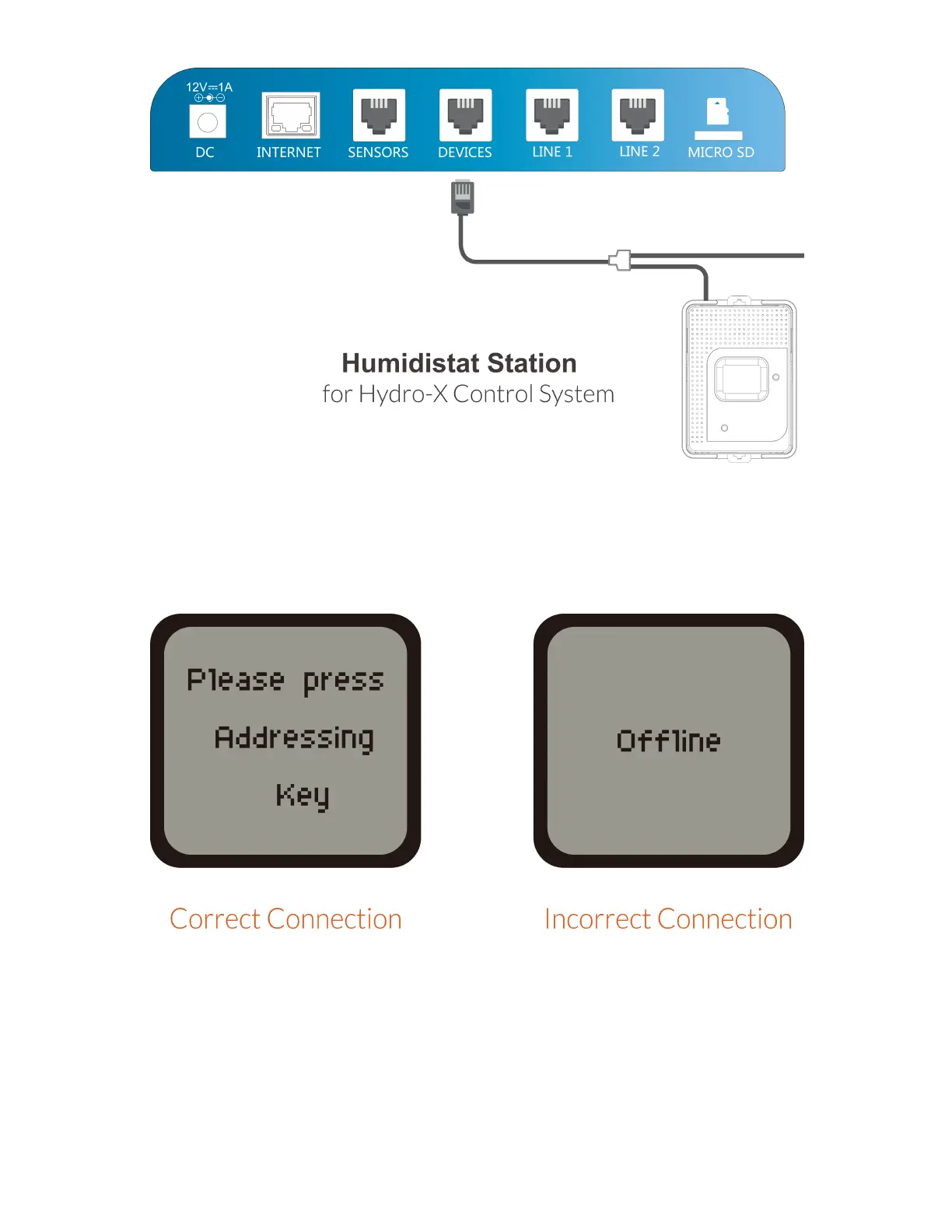
After power-on, the LCD screen of HS-1 will show “Please press Addressing
Key” accordingly when the HS-1 is connected correctly. Otherwise, it will show
“Offline” when the HS-1 is connected incorrectly.
2. Address Assignment
Press the Addressing button on the HS-1 unit so that the Hydro-X will assign an
address such as H1 to HS-1 unit accordingly. The LCD screen of Hydro-X will
display “Station H1 has been added”. Please note H1 is not the constant product
code, it can be H2 depending on the connection sequence of the dehumidifier
device. The first one is marked as H1, the second one as H2.



 To Next Page