11
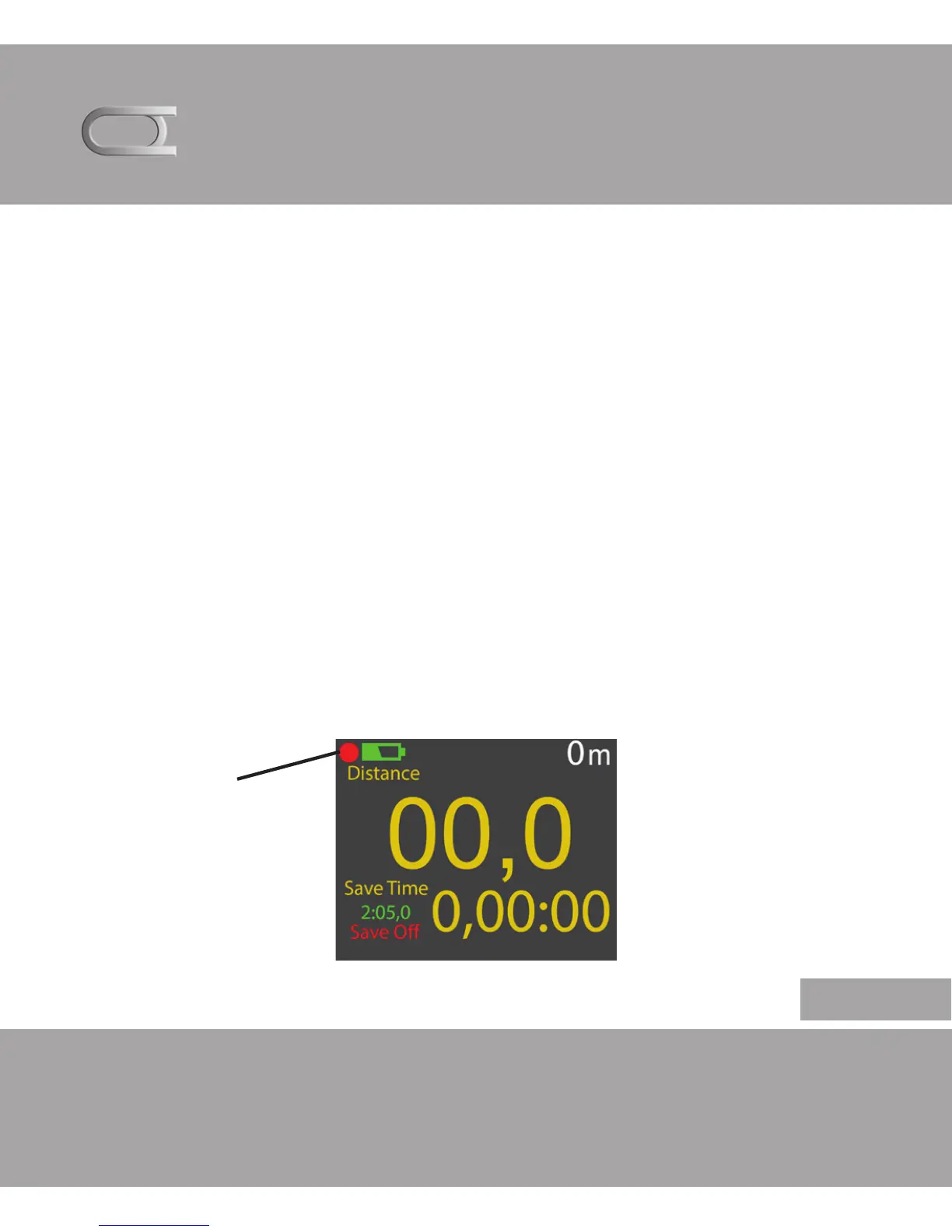
GPS -SIGNAL
When the Trot Tracker is turned on, it will automatic start
to searching for satellites. When no satellites is present the
indicator will be red.
The indicator will turn yellow when it starts to acquire satel-
lites.
The colors indicates if it have good or bad GPS coverage.
When the indicator turns green, the unit is ready for use.
It is not recommended to start searching for satellites when
travelling, since it will use longer time to acquire satellites.
But wait until the GPS indicator is green before use.
TROT TRACKER
English
GPS indicator


 To Next Page