EN 5
socket thermostat BN30
Operation
Info
Please note that moving from a cold area to a warm
area can lead to condensation forming on the device's
circuit board. This physical and unavoidable effect can
falsify the measurement. In this case, the display
shows either no measured values or they are incorrect.
Wait a few minutes until the device has become
adjusted to the changed conditions before carrying out
a measurement.
The target temperature value is preset to 20°C by default and
the device starts in heating mode.
Switching the device on
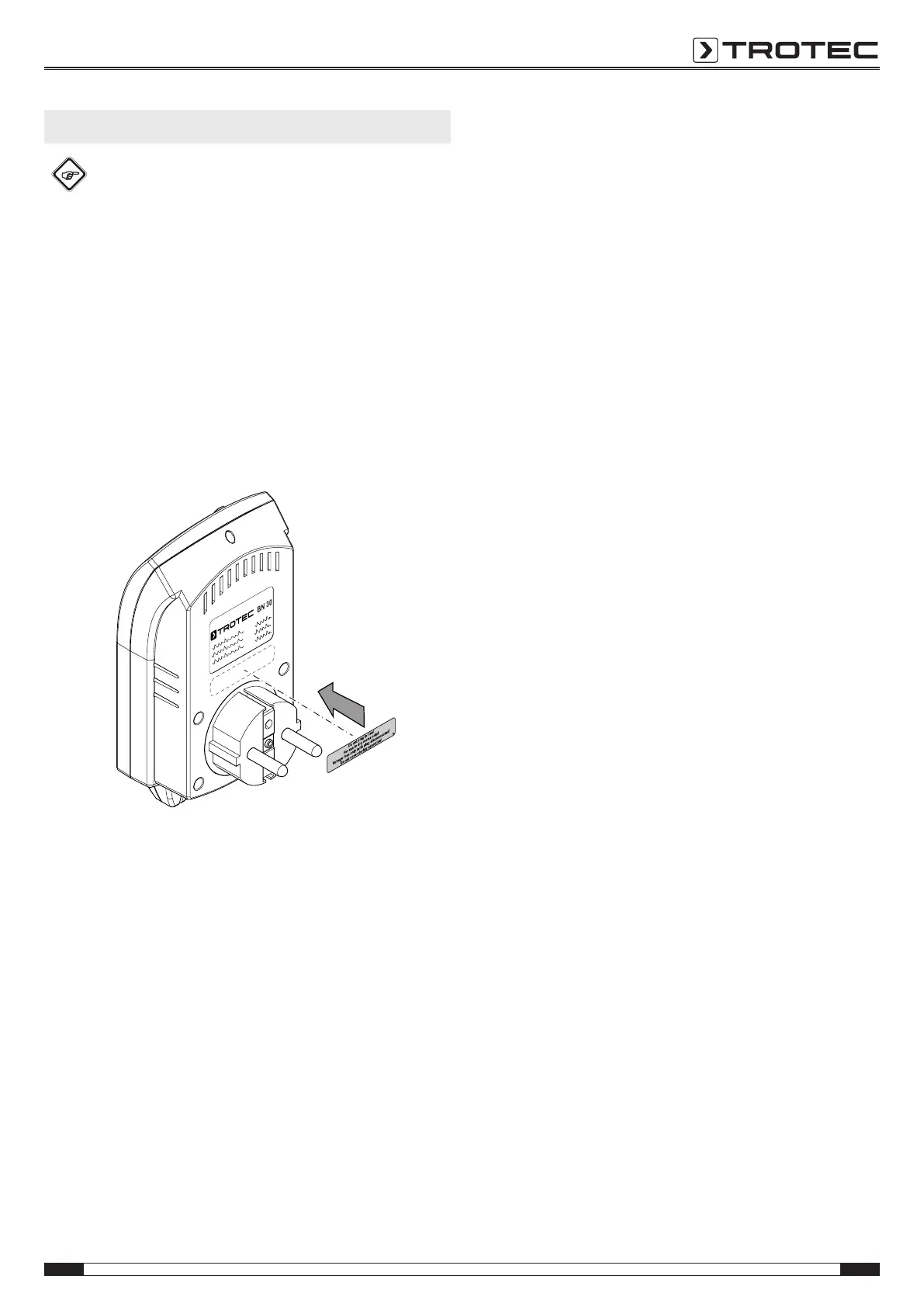
1. Make sure to paste the corresponding warning sign in your
local language over the one present at the rear of the
device.
2. Plug the device into a properly fused socket.
3. Connect a terminal device to the connection for the
terminal device (plug adapter)(6).
4. Press the on/off button(4).
ð The device is switched on.
ð The OFF indication(12) is not shown on the display.
Setting the mode
Note
If the desired temperature is lower than the room
temperature, use the cooling mode. If the desired
temperature is higher than the room temperature, use
the heating mode.
ü The device is switched off.
1. Press the downbutton(3) for approx. 5s to switch
between heating and cooling mode.
Changing the temperature unit °C / °F
ü The device is switched on.
1. Press the SETbutton(1) for approx. 5s to change the
temperature unit from degrees Celsius to degrees
Fahrenheit or vice versa.
Setting the target temperature value
Cooling mode
In cooling mode the target temperature value should be at least
2°C below the room temperature, otherwise the plug adapter
will not be switched on by the device. If the room temperature is
below the target value, the device switches the plug adapter off.
ü The device is switched on.
ü Cooling mode is switched on.
1. Press the up(2) or down(3)button to set a target
temperature value.
ð The SET indication(10) flashes.
2. Wait until the SET indication(10) no longer flashes.
ð The target value is saved.
ð The cooling mode indication(8) flashes.
ð After approx. oneminute the device switches on the
plug adapter.
Heating mode
In heating mode the target temperature value should be at least
1°C above the room temperature, otherwise the plug adapter
will not be switched on by the device. If the room temperature is
above the target value, the device switches the plug adapter off.
ü Heating mode is switched on.
1. Press the up(2) or down(3)button to set a target
temperature value.
ð The SET indication(10) flashes.
2. Wait until the SET indication(10) no longer flashes.
ð The target value is saved.
ð The heating mode indication(9) flashes.
ð After approx. oneminute the device switches on the
plug adapter.
Setting the room temperature offset
With this device it is possible to set an offset value (zero offset
of the temperature curve). This can be useful when the ambient
temperature measured by the device after a period of
acclimatization still deviates excessively with regard to an
existing, precise reference thermometer.
ü The device is switched off.
1. Press the SETbutton(1) for approx. 5s to access the
settings menu.
ð The SET indication(10) flashes.
2. Press the up(2) or down(3) buttons to set the offset.
3. Return to the ambient temperature display by pressing the
SET button(1) several times. In doing so, skip various
menu items which are irrelevant for the device at hand.


 To Next Page
 Loading...