8 EN
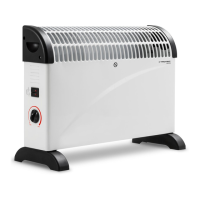
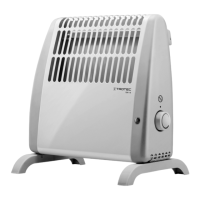
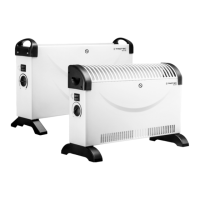
convector TCH 21 E / TCH 23 E
Operating elements TCH 23 E
No. Designation
7 Function selector switch for heating levels
: heating level I with fan
: heating level II with fan
0: OFF
I: heating level 1000W
II: heating level 2000W
8 Rotary switch of the room thermostat
Switching the device on
1. Plug the device into a sufficiently fused socket.
TCH21E
1. Select the desired room temperature via the rotary
switch(8) of the room thermostat.
ð When the temperature control is on, a clicking sound is
emitted.
2. Set the function selector switch(7) to positionI.
ð The device operates at heating levelI.
3. In order to achieve the medium heating performance, set
the function selector switch(7) to positionII.
ð The device operates at heating levelII.
4. In order to achieve the maximum heating performance, set
the function selector switch(7) to positionIII.
ð The device operates at heating levelIII.
TCH23E
1. Select the desired room temperature via the rotary
switch(8) of the room thermostat.
ð When the temperature control is on, a clicking sound is
emitted.
2. Operation with fan: Set the function selector switch(7) to
either or .
ð Position : The device operates at heating levelII with
fan.
ð Position : The device operates at heating levelI with
fan.
3. Operation without fan: Set the function selector
switch(7) to either I or II.
ð PositionI: The device operates at heating levelI.
ð PositionII: The device operates at heating levelII.
Setting the room thermostat
1. Select the desired room temperature via the stepless
rotary switch(8) of the room thermostat.
minimum maximum
The room thermostat controls the room temperature
automatically:
• When exceeding the set value, both the heating and the
ventilation will be switched off.
• When falling below the set value, both the heating and the
ventilation will automatically be switched back on.
Info
The desired room temperature should be higher than
the current room temperature.



 To Next Page