EN 9
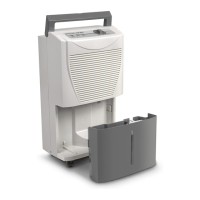
dehumidifier TTK 54 E / TTK 66 E
Setting the desired relative room humidity
You can only change the relative room humidity in
dehumidification mode.
1. Press the Increase value(19) or Decrease value button(21)
to set the relative room humidity. Setting is possible within
the range between 35% and 85% in steps of 5%.
ð The desired relative room humidity is indicated in the
segment display(20) for approx.5seconds. Then the
current relative room humidity is displayed again.
Setting the fan speed
With this function you can choose between low, medium and
high fan speed. The fan speed can only be adjusted in
dehumidification mode. The default setting for the laundry
drying function is the highest level.
1. Repeatedly press the FAN button(22) to select the desired
fan speed.
Continuous operation
The device dehumidifies the air constantly and regardless of the
relative room humidity. The desired relative room humidity
cannot be adjusted in this operating mode.
1. Press the MODE button(18) until the Cont. LED(14) is lit.
ð Continuous operation is selected.
Info
For continuous operation the condensation drain hose
can be connected in order to continuously drain the
accumulating condensate.
Comfort mode
Comfort mode ensures an agreeable humidity level ranging
between 45% and 55%. Depending on the room temperature
the device automatically regulates the convenient humidity level
choosing a value from 45% – 50% – 55%.
In this operating mode it is not possible to regulate the humidity
level manually.
1. Press the MODE button(18) until the Comfort LED(15) is lit
to switch comfort mode on or off.
Setting the timer
For the device to switch on or off automatically after a
predefined number of hours (max. 24hrs) you can programme
the timer.
The timer can be programmed in increments of 0.5hours (0 to
10h) or in increments of 1hour (10 to 24h).
The timer can be set in all operating modes.
You can activate the function regardless of the device being
switched on or off.
Note
Do not leave the operating device unattended in a
freely accessible room with an activated timer.
Automatic switch-on
ü The device is switched off.
1. Press the TIMER button(23) to programme automatic
switch-on.
ð The TIMER LED(10) is lit.
ð The segment display(20) indicates the number of hours
until automatic switch-on. Standard: 0.0
2. Press the Increase value(19) and Decrease value
buttons(21) to set a number of hours until automatic
switch-on.
ð The number of hours is indicated on the segment
display(20) for approx.5s. Then the current humidity
level of the room will be indicated.
ð The timer setting equals the desired number of hours.
ð After the predefined time, the device switches itself on.
Automatic switch-off
ü The device is switched on.
1. Press the TIMER button(23) to programme automatic
switch-off.
ð The TIMER LED(10) is lit.
ð The segment display(20) indicates the number of hours
until automatic switch-off. Standard: 0.0
2. Press the Increase value(19) and Decrease value
buttons(21) to set a number of hours until automatic
switch-off.
ð The number of hours is indicated on the segment
display(20) for approx.5s. Then the current humidity
level of the room will be indicated.
3. The device keeps running until the given switch-off time
has expired or until the device is switched off manually.
ð The timer setting equals the desired number of hours.
ð After the predefined time, the device switches itself off.
Note
You can deactivate automatic switch-on and switch-off
by setting the respective number of hours back to 0 or
by manually switching the device on or off.
If error codeP2 is indicated on the segment
display(20), the timer is also disabled.
A full condensation tank can cause the device to be
switched off before the set number of hours until
automatic switch-off have elapsed.
Memory function
After a power failure during operation the device will
automatically be switched back on after a while. The selected
settings are saved. Any programmed timer settings will not be
saved.
Auto stop function
If the water tank is full, not inserted correctly or the relative
room humidity has been reached, the device will stop
automatically.


 To Next Page
 Loading...