Truefitness.com / 800.426.6570 / 636.272.7100
18
CHAPTER 2: ASSEMBLY INSTRUCTIONS
ASSEMBLY STEPS (continued):
Step 13 Console Cable Connections (continued):
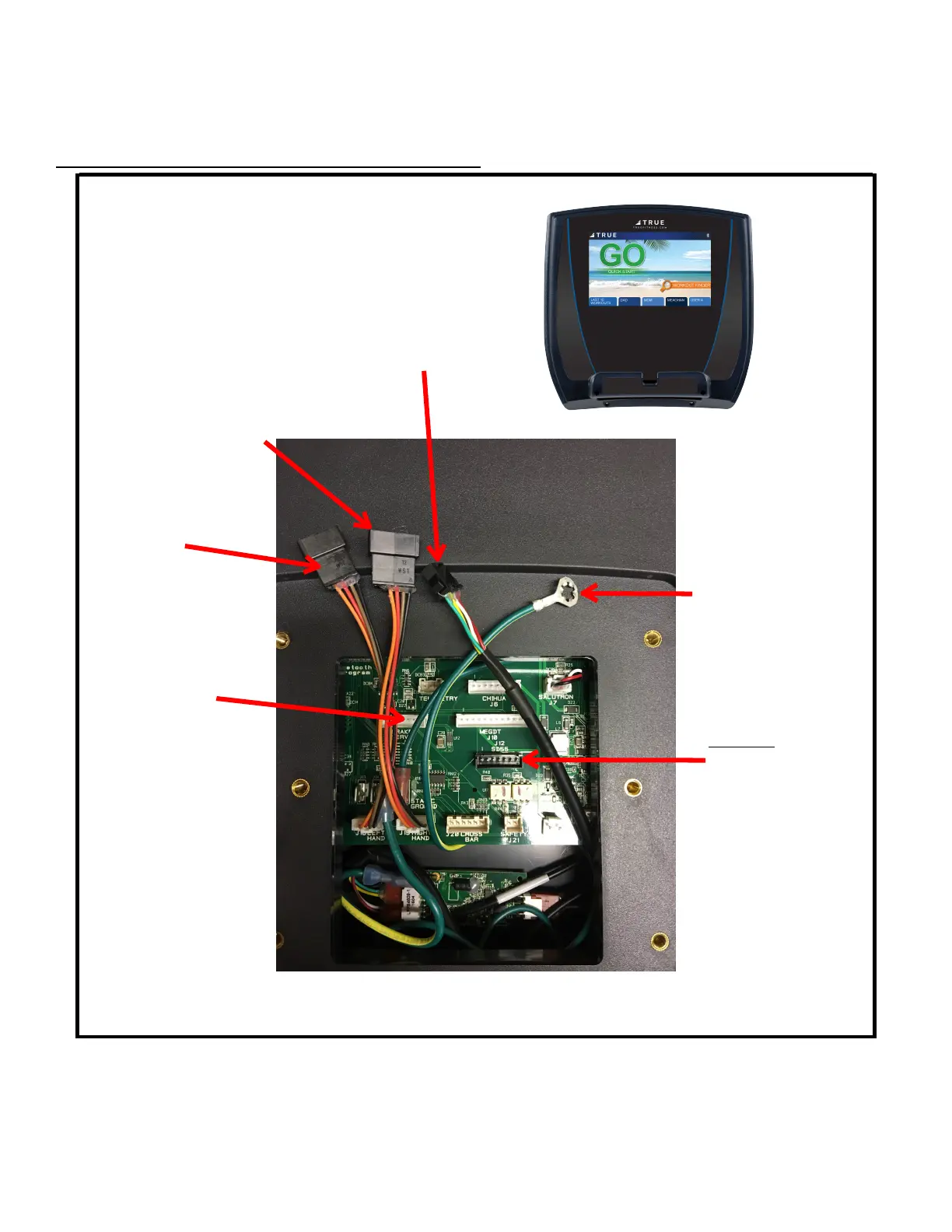
9” Touch Console
NOTE: Ethernet cabl
e connection is not available on the 9” Touch Console.
NOTE: For the 9” Touch Console, it is important that the 12V, 3A Power Adaptor is installed.
Connect to
5-pin connector
Connect to
6-pin connector
Connect to 4-pin connector
Ground connector
(see next page)
Insert brake
servo white 7-
pin connector
DO NOT insert
SD55 black 7-pin
connector
All ground wires
must be connected


 To Next Page