Repeat on right side
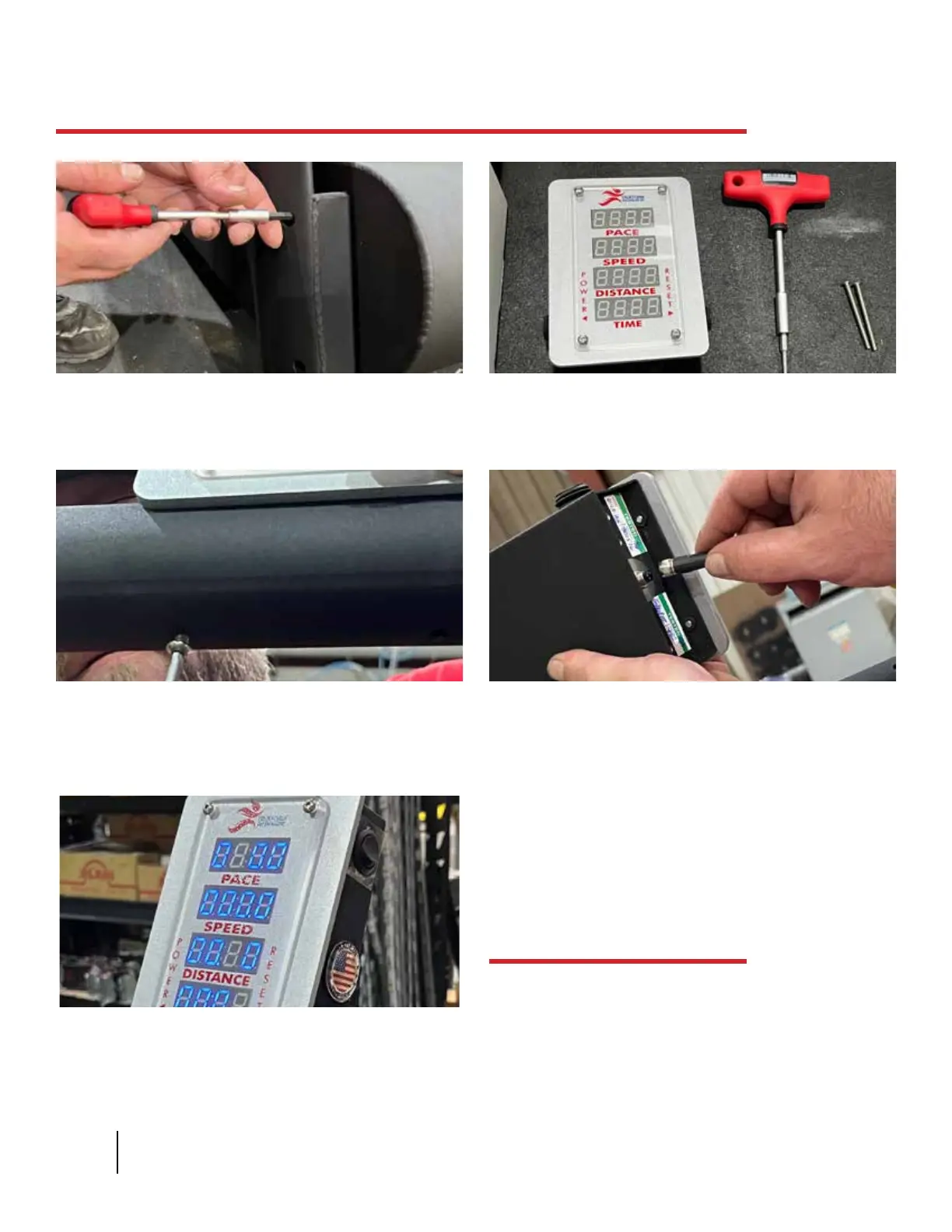
You will need the display, the
T-handle, and the last two screws in
your tool kit for the next steps.
Place the display screen ush with the
handrail. Coming from the underside,
screw the last 2 screws into the
handrail, securing the display in place.
If the wiring is correct, the numbers on
the display will light up when you press
the on button on the left of the display.
Your Trueform Runner is ready to use.
13 14
17
1615
Attach the wire coming out from the
middle of the handrail to the nob at
the bottom of the display screen.
Assembly cont’d.
10 TRUEFORM RUNNER
Battery life
If the LED display begins to dim or icker it is an
indication the battery needs to be charged.
Turning the display off when not in use will
greatly prolong battery power.


 To Next Page