Home
Trueview
Digital Camera
T18132
Page 7
Trueview T18132 - Page 7
10 pages
Manual
Save Page as PDF
To Next Page
To Next Page
To Previous Page
To Previous Page
Loading...
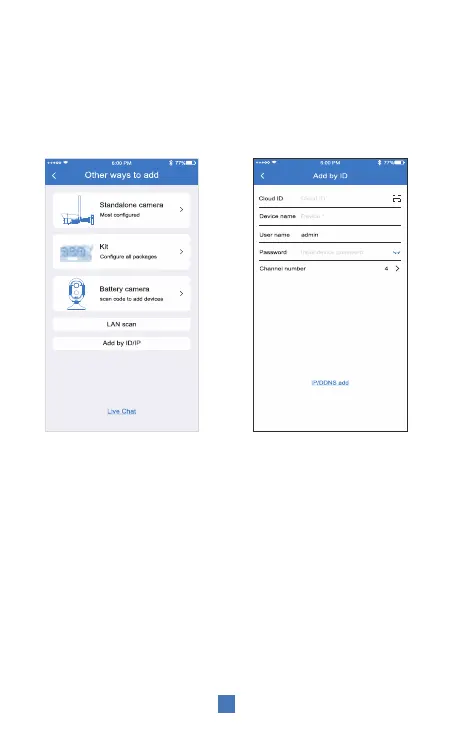
When the QR code on the device is not available or
does not work follow the below instructions.
6
2. Enter the deivce ID and
Password,
And click Finish in
the upper right corner to add
1. Select “Add by ID/IP” in
“Other ways to add”
6
8
Table of Contents
Main Page
APP Installation and Login
4
Installing the Sim Card
5
Installation Method
8


 To Next Page