16
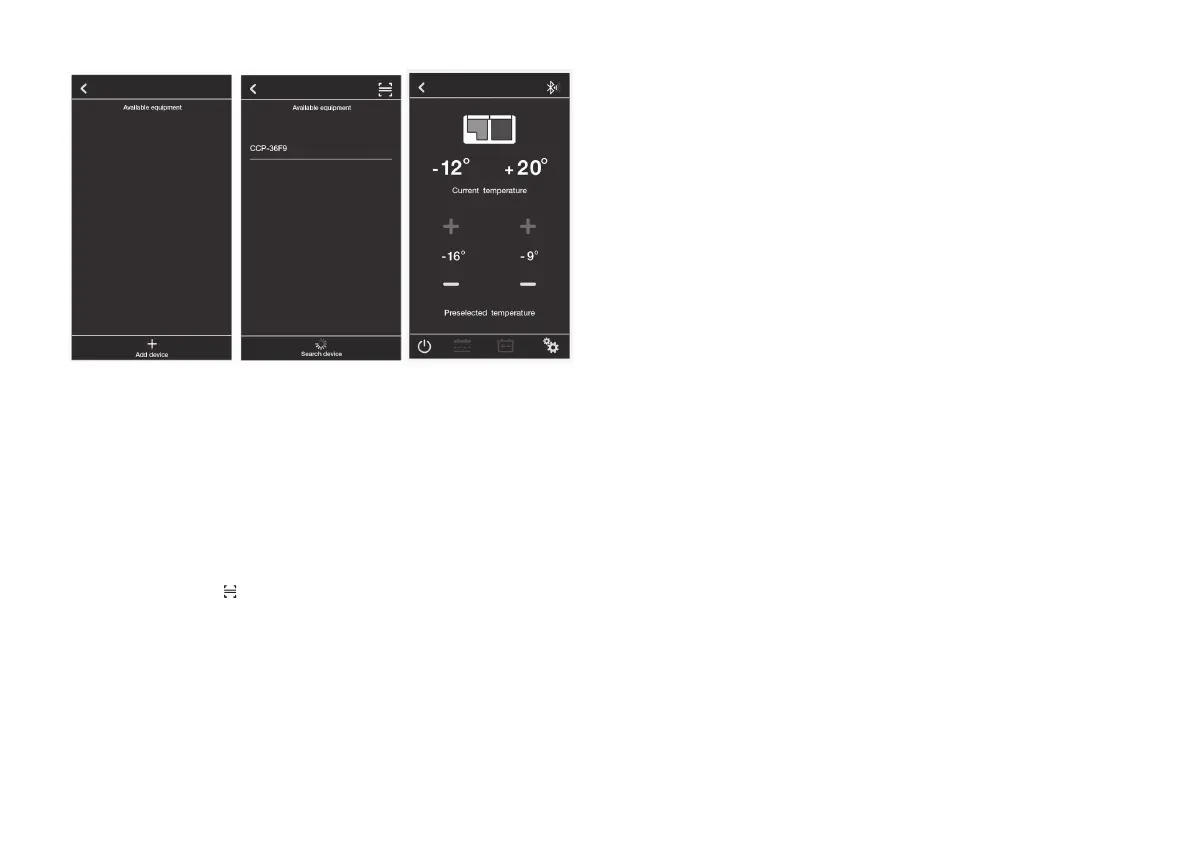
A B C
Fig. 9
When you click for example the equipment
CCP-36F9 to connect the appliance, finally
you will see picture C which means connect
successful.
Or if you do not choose to click “Add device”
but to choose to scan the individual QRcode
which is delivered with the appliance for con-
necting, then will directly enter to picture C.
Now linked to your appliance, you can:
• Easily switch between appliances.
• Adjust your appliances temperature from
–22°C to +10°C (-8 °F to + 50°F).
• Check current temperature.
• Choose from Celsius and Fahrenheit tem-
perature scales.
• Turn your appliance on and off.
• Turn Turbo modes on and off.
• Choose battery voltage protection mode.
• Monitor battery voltage.
• Show the fault reason automatically.
• Customize your refrigerator name.



 To Next Page