Need help?
Do you have a question about the Trust Gaming Series and is the answer not in the manual?
Insert Trust CD-ROM, run setup.exe, and follow on-screen prompts for installation.
Accept the license agreement and proceed with the installation process.
Connect the headset when prompted and complete the installation by restarting the computer.
Adjusts headset volume levels for master, left, and right channels.
Sets the audio sample rate for optimal playback quality.
Customizes audio frequencies using presets or manual sliders.
Applies various sound environments for immersive audio experiences.
Adjusts virtual speaker positions for 7.1 surround sound.
Enhances audio with pitch shifting, vocal fading, and voice filtering.
Enables simulated surround sound for a more immersive audio experience.
Manages microphone volume, monitoring, echo, and voice effects.
Enables or disables bass vibration feedback for immersive audio.
Controls overall volume up and down for the headset.
Mutes or unmutes the audio output of the headset.
Mutes or unmutes the microphone input.
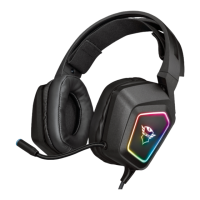
Manages the headset's illumination features.
Provides solutions for when no audio output is detected from the headset.
Addresses issues with the 7.1 surround sound feature not functioning correctly.
Offers solutions for when the headset's microphone is not working.
Helps resolve issues with insufficient or excessive bass levels.

 To Next Page
 General