EasyManua.ls Logo

Trust 18034 - User Manual

Trust 18034
5 pages
Print Icon
To Next Page IconTo Next Page
Loading...
www.trust.com/18034/faq
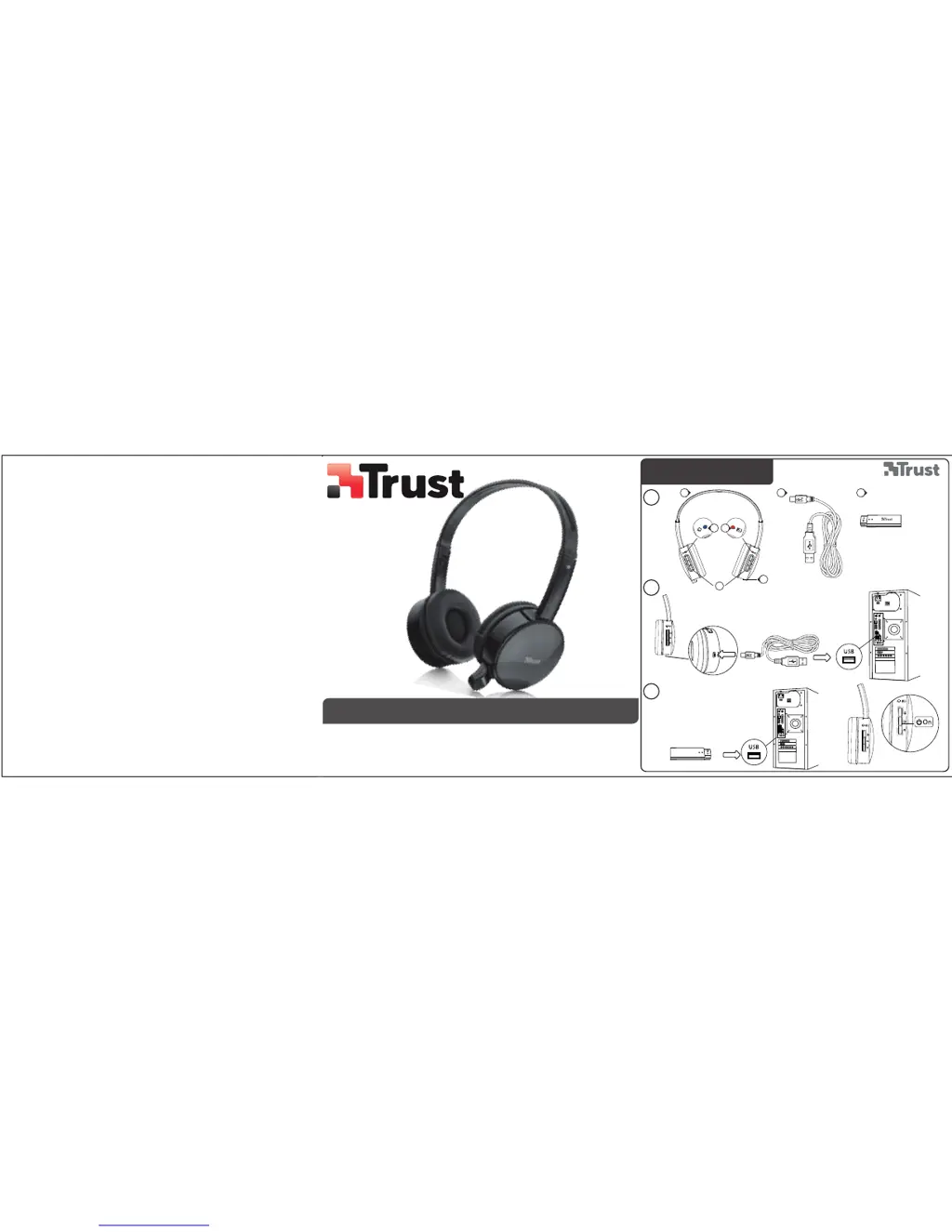
Quick Installation Guide
18034Wireless Headset
Installation
1
2
3
A
D E
C
B2B1
F

Questions and Answers

  • K
    Kimberly HernandezJul 27, 2025
    How to fix Trust 18034 when there is no sound at all?
    • T
      Toni TylerJul 27, 2025
      If you're experiencing a complete lack of sound with your Trust headset, try the following: * Make the headset your default audio device. Refer to steps ‘4’ or ‘8’ for guidance. * Connect the USB receiver to a different USB port.
  • C
    Cody LopezAug 4, 2025
    What to do if my friend can't hear me on MSN/Skype using Trust Headsets?
    • H
      hannahwebsterAug 5, 2025
      If your friend can't hear you when using your Trust wireless headset on MSN/Skype, increase the microphone volume and verify that the wireless headset is set as the default audio device. Follow the steps outlined in ‘4’ or ‘8’ to ensure proper configuration.
  • M
    Michael WrightAug 11, 2025
    Why do my Trust 18034 have bad sound quality?
    • K
      kimberlyaliAug 11, 2025
      Bad sound quality can occur if the wireless range (maximum 10m) is reduced by walls or large objects. Also, make sure that you have charged the headset.
  • C
    Craig JonesAug 18, 2025
    Why do my Trust 18034 Headsets keep beeping?
    • K
      Kendra HallAug 18, 2025
      Your Trust headset might be beeping for the following reasons: * The battery is almost empty. In this case, charge the headset. * Try connecting the USB receiver to another USB port.

Summary

Installation Guide

Headset Charging and Connection

Instructions for charging the headset via USB and connecting the USB receiver to your computer.

Powering On and Indicator Lights

Guidance on turning the headset on and understanding the LED status indicators for connection.

Configuration

Windows 7 and Vista Configuration

Set 'Wireless Audio' as default playback and recording device in Windows 7/Vista sound settings.

Windows XP Configuration

Configure microphone levels and set 'Wireless Audio' as default device in Windows XP audio properties.

Troubleshooting

Headset Beeps and Sound Quality Issues

Solutions for headset beeping, poor sound quality, or no sound, addressing battery and connection.

Microphone Issues

Troubleshooting microphone problems, checking default device settings and volume levels.

Trust 18034 Specifications

General IconGeneral
Connectivity technologyWired
Cable length1.8 m
Impedance32 Ohm
Driver unit40 mm
MicrophoneYes
Over-earYes
Frequency Response20 Hz - 20 kHz
Sensitivity108 dB
Driver Size40 mm
ColorBlack

Related product manuals