EasyManua.ls Logo

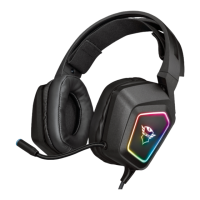
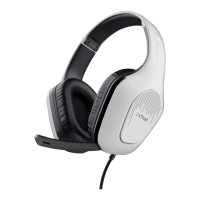
Trust Headset - User Manual

Trust Headset
2 pages
Print Icon
To Next Page IconTo Next Page
Loading...
6 7
2 3
4 5
1
Headset
V1 Item: 15481
2
Question and Answer IconNeed help?

Do you have a question about the Trust Headset and is the answer not in the manual?

Summary

Trust Headset Overview and Setup

Physical Connection

Illustrates the physical connection of the headset microphone to the audio jack for operational use.

Audio Configuration

Guides users through selecting the headset microphone and adjusting its properties within Windows audio settings.

Regulatory Compliance

Declaration of Conformity

Details the product's adherence to EU directives and relevant safety and electromagnetic compatibility standards.

Summary

Trust Headset Overview and Setup

Physical Connection

Illustrates the physical connection of the headset microphone to the audio jack for operational use.

Audio Configuration

Guides users through selecting the headset microphone and adjusting its properties within Windows audio settings.

Regulatory Compliance

Declaration of Conformity

Details the product's adherence to EU directives and relevant safety and electromagnetic compatibility standards.

Trust Headset Specifications

General IconGeneral
ConnectivityWired
Driver Size40 mm
Impedance32 Ohm
Frequency Response20 Hz - 20 kHz
Microphone Frequency Response100 Hz - 16 kHz
Connection3.5 mm

Related product manuals