16 17
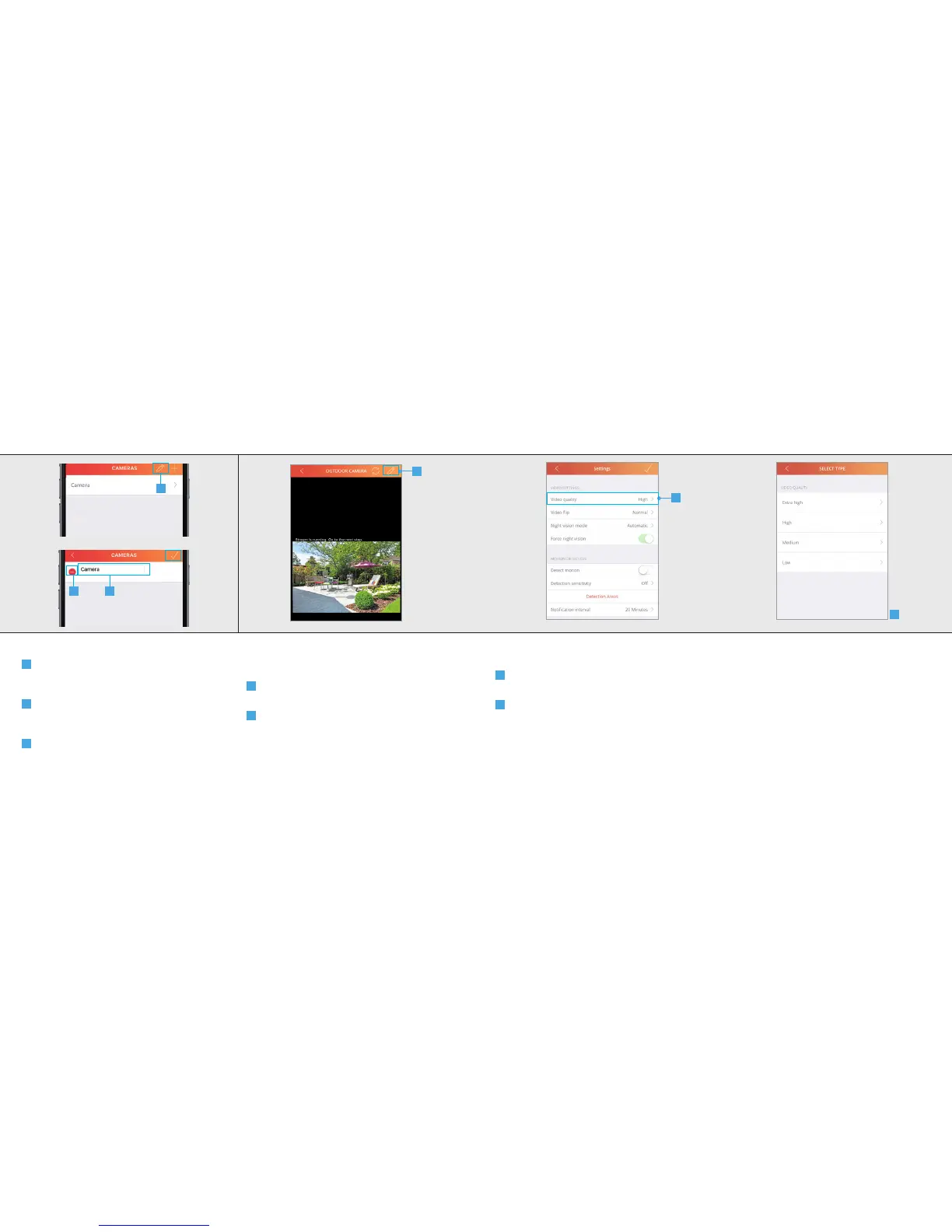
10 Edit/Delete camera
A
Press the pencil button at the top of the
screen to EDIT the name of the camera or to
DELETE it.
B
Press on the name of the camera to begin
editing the name. Press the CONFIRM button
when done.
C
Press the DELETE button to delete the
camera. Press the CONFIRM button when done.
11 Configure camera
First open the camera view by pressing on the
camera name
A
Press the edit button at the top right of the
screen.
B
The settings page of the camera will open
and an overview is shown of the current
configuration of the camera.
A
IPCAM-3000 OUTDOOR CAMERAIPCAM-3000 OUTDOOR CAMERA
A
BC
12 Video Settings
12.1 Video quality
A
To change the quality of the video stream
press Video Quality.
B
A list is shown of the dierent video qualities
which can be chosen. Select the desired video
quality.
After selecting the desired video quality the app
will return to the settings screen.
A
B



 To Next Page