EasyManua.ls Logo

Trust TB-7300 - User Manual

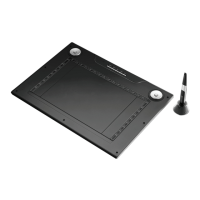
Trust TB-7300
71 pages
Go to English
Print Icon
To Next Page IconTo Next Page
Loading...
Български
Česky
Dansk
Deutsch
Ελληνικά
Türkçe
中文
English
Español
Français
Italiano
Magyar
Nederlands
Norsk
Polski
Română
Русский
Slovenčina
Suomi
Português
Svenska
TB-7300
Version 2.0
User’s manual
Wide Screen Desi
g
n Tablet
Question and Answer IconNeed help?

Do you have a question about the Trust TB-7300 and is the answer not in the manual?

Summary

Installation

Install Driver

Guide to installing the device driver from CD or website for basic functionality.

Setup Completion

Completing the software setup wizard and restarting the computer.

Hotkey Configuration

Accessing Hotkey Settings

Accessing hotkey settings via the tablet icon in the taskbar.

Creating Custom Hotkey Profiles

Creating new custom hotkey profiles and assigning applications to them.

Pen Configuration

Measurement and Tracking Modes

Setting the pen's measurement unit (inch/cm) and tracking mode (absolute/relative).

Button and Pressure Settings

Customizing pen side buttons, pen offset value, and pressure sensitivity.

Product Overview

Device Components

Explains the different parts and indicators of the tablet device.

General Usage and Notes

Hotkey and Wheel Functionality

Details on modifying, disabling, and using wheel functions for hotkeys.

Battery and Energy Management

Information on battery usage, power saving mode, and proper battery disposal.

Windows Vista Specifics

Notes on driver installation and tablet mode settings for Windows Vista.

Declaration of Conformity

Compliance Standards

Lists the essential requirements and standards the product complies with.

Summary

Installation

Install Driver

Guide to installing the device driver from CD or website for basic functionality.

Setup Completion

Completing the software setup wizard and restarting the computer.

Hotkey Configuration

Accessing Hotkey Settings

Accessing hotkey settings via the tablet icon in the taskbar.

Creating Custom Hotkey Profiles

Creating new custom hotkey profiles and assigning applications to them.

Pen Configuration

Measurement and Tracking Modes

Setting the pen's measurement unit (inch/cm) and tracking mode (absolute/relative).

Button and Pressure Settings

Customizing pen side buttons, pen offset value, and pressure sensitivity.

Product Overview

Device Components

Explains the different parts and indicators of the tablet device.

General Usage and Notes

Hotkey and Wheel Functionality

Details on modifying, disabling, and using wheel functions for hotkeys.

Battery and Energy Management

Information on battery usage, power saving mode, and proper battery disposal.

Windows Vista Specifics

Notes on driver installation and tablet mode settings for Windows Vista.

Declaration of Conformity

Compliance Standards

Lists the essential requirements and standards the product complies with.

Trust TB-7300 Specifications

General IconGeneral
Pressure Sensitivity2048 Levels
Resolution4000 LPI
ConnectivityUSB
Pen TypeBattery-free
Report Rate200 RPS
InterfaceUSB
CompatibilityWindows, macOS
TechnologyElectromagnetic
PenYes