Secure Web Gateway 11.5 Setup Guide
Copyright © 2013 Trustwave Holdings, Inc. All rights reserved. 25
5.2 Limited Shell
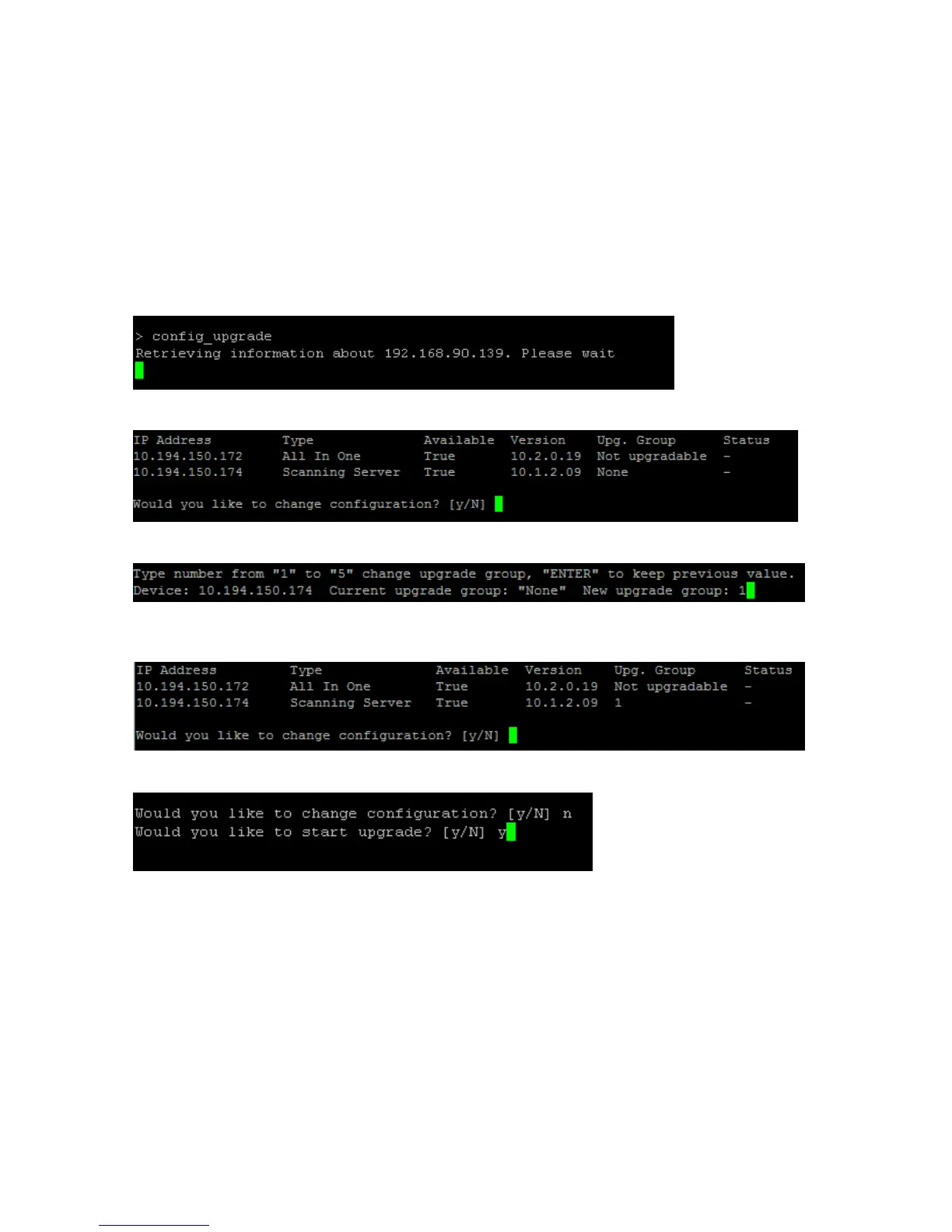
The following steps are required to upgrade the remote devices using the config_upgrade command
from the limited shell.
These procedures describe the upgrade process using an All-in-One appliance (Policy Server and
Scanner) with an additional remote scanning server.
1. Log in to the limited shell of the upgraded Policy Server.
2. Run config_upgrade.
3. The list of available scanners is displayed. Press Y.
4. New upgrade group. Enter 1.
5. The scanner is listed under Group 1. Press N when prompted to change the configuration. This will
start the upgrade process.
6. Start the Upgrade: Press Y.



 To Next Page