EasyManua.ls Logo

TruTech DV220TT8 - User Manual

TruTech DV220TT8
28 pages
Print Icon
To Next Page IconTo Next Page
Loading...
PRECAUTIONSSETUP
VCR FUNCTIONSDVD FUNCTIONS
Español INFORMATION
INSTRUCCIONES EN ESPAÑOL INCLUIDAS.
Supplied Accessories
AC
outlets
from TV
from the unit
rear of the unit
rear of TV
connect
1
plug in
2
Please refer to “Connections on page 6.
3
DIGITAL
AUDIO OUT
COAXIAL
AUDIO
OUT
DVD VCR
DVD/VCR
S-VIDEO
OUT
COMPONENT
VIDEO OUT
VIDEO IN
AUDIO OUT
VIDEO OUT
L
L
AUDIO IN
Y
R
R
C
B
/
P
B
C
R
/
P
R
VCRDVD/VCR
AUDIO OUT
L
VIDEO OUT
R
AUDIO OUT
VIDEO OUT
R
L
AUDIO IN
VIDEO IN
Basic TV Connection
If you need additional operating assistance
after reading this owner’s manual, please call
TOLL FREE : 1-800-844-5001
Contents
remote control
(NB606UD /
NB656UD)
RCA audio/video cables
(WPZ0102TM015 /
WPZ0102LTE01)
batteries
(AA x 2)
owner’s manual
(1VMN23390)
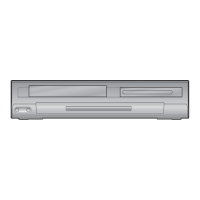
DVD/CD Player with Video Cassette Recorder
DV220TT8
Owner’s Manual
Please read before using this unit.
PRECAUTIONS
Laser Safety .................................................................................................................2
Important Safeguards .............................................................................3
Location and Handling ...........................................................................................4
Avoid the Hazards of Electrical Shock and Fire ............................................. 4
Moisture Condensation Warning .......................................................................4
About Copyright ....................................................................................................... 4
Notice for Progressive Scan Outputs ................................................................4
Symbols Used in this Manual ...............................................................................4
Maintenance ..............................................................................................................4
About Cassette Tapes and Discs .............................................................5
Playable Media ..........................................................................................................5
Unplayable Discs ...................................................................................................... 5
SETUP
Connections .............................................................................................6
Connection to a TV ..................................................................................................6
Connection to an Audio System .........................................................................7
Connection to a Cable/Satellite Box .................................................................7
Preparation for Use .................................................................................8
Turning on Unit for the First Time .....................................................................8
Clock Setting ..............................................................................................................8
Function Overview ..................................................................................9
Front Panel Indicator Lights .................................................................................9
Selecting DVD or VCR Operation ........................................................................9
Front & Rear Terminals ...........................................................................................9
Remote Control ........................................................................................................10
Installing the Batteries for the Remote Control ...........................................10
VCR FUNCTIONS
Playback .................................................................................................11
Other Operations ....................................................................................11
Index Search ..............................................................................................................11
Time Search ...............................................................................................................11
Auto Repeat ...............................................................................................................12
Recording ................................................................................................ 12
Recording & One-touch Timer Recording (OTR)..........................................12
Timer Recording ......................................................................................................12
Notes for Timer Recording & One-touch Timer Recording (OTR) .........13
Satellite Link ..............................................................................................................14
Copying a Cassette Tape ......................................................................................14
DVD FUNCTIONS
Playback .................................................................................................15
MP3 Playback .........................................................................................16
On-Screen Display ..................................................................................16
Search Functions ....................................................................................17
Using Track Search ..................................................................................................17
Using Title / Chapter Search ................................................................................17
Using Time Search ..................................................................................................17
Marker Setting ..........................................................................................................17
Repeat / Random / Programmed Playback ...........................................18
Repeat Playback .......................................................................................................18
Repeat A-B Playback ..............................................................................................18
Random Playback ....................................................................................................18
Programmed Playback ..........................................................................................18
Special Settings ......................................................................................19
Subtitle Language ...................................................................................................19
Audio Language ......................................................................................................19
Camera Angles .........................................................................................................19
Black Level Setting ..................................................................................................19
Stereo Sound Mode ................................................................................................19
Virtual Surround.......................................................................................................19
DVD Setting ............................................................................................20
LANGUAGE Setting .................................................................................................20
DISPLAY Setting .......................................................................................................21
AUDIO Setting ..........................................................................................................21
PARENTAL Setting ...................................................................................................22
OTHERS Setting ........................................................................................................22
Reset to the Default Setting (Except for PARENTAL Setting) ..................23
INFORMATION
Troubleshooting Guide ..........................................................................23
Specifications .........................................................................................24
Language Code List ................................................................................24
LIMITED WARRANTY ...............................................................................24
Español ...................................................................................................25
Quick Use Guide......................................................................................27
Owner’s Manual
E8E70UD.indd1E8E70UD.indd1 2006/11/3010:44:372006/11/3010:44:37

Table of Contents

Questions and Answers

Summary

Safety Precautions

Laser, FCC, and Interference Warnings

Key safety warnings including laser use, FCC regulations, and radio/TV interference.

Important Safeguards

Safety and Operating Instructions

Detailed rules and precautions for safe operation and maintenance of the unit.

Handling and Hazards

Unit Placement, Electrical Safety, and Moisture

Guidelines for positioning, electrical safety, fire prevention, and condensation.

Copyright and Scan Compatibility

Legal notices on copyright and compatibility with progressive scan TVs.

Media Compatibility

Playable and Unplayable Discs;Tapes

Details on supported and unsupported media formats for playback.

Setup and Connections

Connecting to TV and Input Modes

Instructions for TV connection and selecting appropriate input modes.

Audio and Satellite Connections

Audio and Satellite Connections

Guides for connecting audio systems and cable/satellite boxes.

Initial Setup and Clock Setting

Initial Setup and Clock Setting

Steps for first-time power-on, language selection, and clock configuration.

Function Overview

Panel Indicators and Mode Selection

Explanation of front panel lights and switching between VCR/DVD modes.

Terminal Connections

Description and connection guide for all front and rear panel terminals.

Remote Control Operation

Remote Control Operation

Details on remote control buttons and battery installation.

VCR Functions

Playback and Search Features

Basic playback, slow motion, and search functions like index and time search.

Auto Repeat and Recording

Auto Repeat and Recording

Setting auto repeat and performing one-touch or timer recordings.

Timer Recording Notes

Timer Recording Notes

Important operational notes and behaviors for timer recordings.

Satellite Link and Copying

Satellite Link and Copying

Instructions for satellite link recording and copying cassette tapes.

DVD Functions

DVD Playback and Navigation

Basic playback, disc menus, resume, and step-by-step controls.

DVD Search Zoom and MP3 Playback

DVD Search Zoom and MP3 Playback

Covers fast/slow search, zoom, MP3 playback, and on-screen display info.

Track Title and Chapter Search

Track Title and Chapter Search

How to locate specific content using track, title, or chapter search functions.

Marker Setting and Search

Functionality to set, search, and exit markers on discs.

Repeat Random and Programmed Playback

Repeat Random and Programmed Playback

Options for repeating playback segments, random order, and programmed sequences.

Special Settings

Special Settings

Customizing subtitle language, audio language, camera angles, and sound modes.

DVD Settings

Quick and Custom Menu Navigation

Accessing and modifying player settings via QUICK and CUSTOM menus.

Display Settings

Display Settings

Adjusting TV aspect ratio, still mode, and progressive scan settings.

Audio Settings

Audio Settings

Configuring audio settings like DRC, down sampling, and Dolby Digital output.

Parental Controls

Parental Controls

Setting parental levels and changing the password for content restriction.

Other Settings

Other Settings

Configuring angle icon display and auto power off features.

Information and Troubleshooting

Resetting to Default Settings

Procedure to restore unit settings to factory defaults.

Troubleshooting Guide

Common problems and their corrective actions for DVD/VCR operation.

Specifications

Specifications

Technical details of the unit including dimensions, power, and operating conditions.

Language Code List

A list of language codes used for setting audio and subtitle languages.

Limited Warranty

Details of the product warranty, terms, and conditions.

TruTech DV220TT8 Specifications

General IconGeneral
BrandTruTech
ModelDV220TT8
CategoryDVD VCR Combo
LanguageEnglish
