EasyManua.ls Logo

TSI Incorporated 8380 ACCUBALANCE - User Manual

TSI Incorporated 8380 ACCUBALANCE
68 pages
Print Icon
To Next Page IconTo Next Page
Loading...
Ventilation Testing/Balancing
Model 8715
DP-CALC
TM
Micromanometer and
Model 8380 ACCUBALANCE
®
Modular Air Balancing Tool
Operation and Service Manual
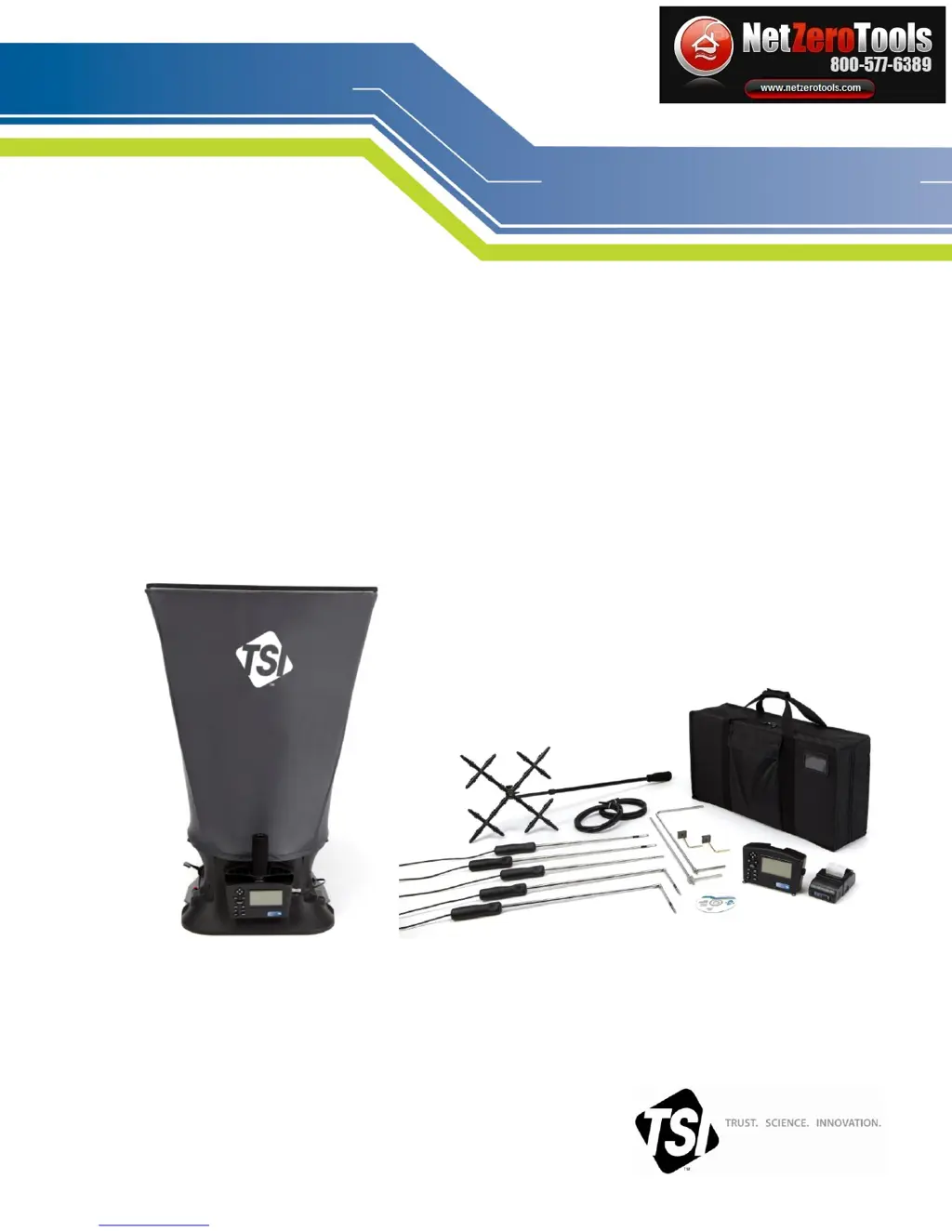
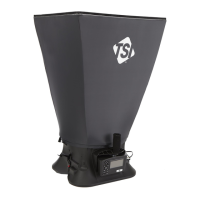
Model 8380 ACCUBALANCE Model 8715 DP-CALC Micromanometer
Modular Air Balancing Tool (shown with standard and optional accessories)
ENERGY AND COMFORT
www.netzerotools.com

Table of Contents

Questions and Answers

  • E
    erikconnerAug 2, 2025
    What to do if my TSI Incorporated 8380 ACCUBALANCE show no display?
    • T
      Tracy LeAug 2, 2025
      If your TSI Incorporated Measuring Instruments' display is blank, several factors could be at play. First, ensure the unit is powered on by pressing the I/O key. If it remains blank, check the batteries; they might be low, dead, or have dirty contacts. Replace or clean them as necessary. Lastly, verify that the AC adapter is properly connected.
  • A
    adam11Aug 9, 2025
    Why does my TSI Incorporated Measuring Instruments flash '?888888?' on the display?
    • T
      Tracie BuckleyAug 9, 2025
      The flashing '?888888?' on your TSI Incorporated Measuring Instruments indicates that the pressure is too high to measure. This display also appears if you are measuring velocity or flow and the pressure at that velocity exceeds the instrument's maximum pressure limit. Refer to the specifications page for the maximum pressure the device can handle.
  • J
    Jermaine StantonAug 18, 2025
    What to do if my TSI Incorporated Measuring Instruments flash '? ?' on the display?
    • T
      Todd WernerAug 18, 2025
      If your TSI Incorporated Measuring Instruments are flashing '? ?' on the display, it typically indicates low battery charge or dirty battery contacts. Try replacing or recharging the batteries. If that doesn't solve the issue, clean the battery contacts.
  • G
    Glenn CarterAug 26, 2025
    How to fix '------' appearing on the display for velocity or volume in TSI Incorporated 8380 ACCUBALANCE Measuring Instruments?
    • W
      William YoungAug 26, 2025
      The appearance of '------' on the display for velocity or volume indicates that a valid temperature reading is required to perform the standard or actual velocity/volume correction. To resolve this, ensure that a probe measuring temperature is connected to the meter. Alternatively, you can manually input the temperature by setting 'Temp Source' to 'Entered' in the Actual/Std menu.

Summary

Limitation of Warranty and Liability

Chapter 1: Introduction

Instrument Description

Details the physical components and features of the micromanometer.

Chapter 2: Unpacking and Setting Up

Powering the Micromanometer

Explains how to power the micromanometer using AC adapter or batteries.

Chapter 3: Getting Started

Chapter 4: Menu Setup and Navigation

Menus and Pressure Tool Selection

Explains menu structure, navigation, and selecting pressure-based tools.

Display Setup

Guides users on customizing the instrument's display parameters.

Flow Setup

Details configuration options for flow measurements, including duct size and K-factors.

Actual;Standard Setup

Explains how to configure actual and standard measurement settings and temperature sources.

General Settings

Covers general instrument settings like language, units, and connectivity options.

Data Logging

Log Mode;Display Mode Selection

Describes different modes for logging measurements (Manual, Auto-save, Continuous).

Chapter 5: Changing Capture Hoods

Chapter 6: Flow Measurements Using the Capture Hood

Backpressure Compensated Measurements

Details procedures for backpressure compensated flow measurements.

Chapter 7: Maintenance and Troubleshooting

Troubleshooting the Instrument

Lists common symptoms, causes, and corrective actions for instrument problems.

Appendix B: Traversing a Duct

Specifications

TSI Incorporated 8380 ACCUBALANCE Specifications

TSI 8715

Power IconPower
power requirementsfour AA-size cells, rechargeable NiMH (included) or alkaline, or AC adapter (included), 7.5 VDC, 1.6 A, regulated
battery lifeminimum of 12 hours typical
recharge time4 hours (internal charger)
Operating Environment IconOperating Environment
temperature range40 to 140°F (4.4 to 60°C)
storage temperature-4 to 160°F (-20 to 71°C)
humidity range5 to 95% RH
Weight and Dimensions IconWeight and Dimensions
dimensions7.4 in. x 4.5 in. x 2.3 in. (18.8 cm x 11.4 cm x 5.8 cm)
weight17 oz (0.5 kg)
pressure connection1/4 in. OD straight ports with barbed ends for use with 3/16 in. (4.76 mm) ID flexible tubing

TSI 8380

Power IconPower
power requirementsfour AA-size cells, rechargeable NiMH (included) or alkaline, or AC adapter (included), 7.5 VDC, 1.6 A, regulated
battery lifeminimum of 12 hours typical
recharge time4 hours (internal charger)
Operating Environment IconOperating Environment
temperature range40 to 140°F (4.4 to 60°C)
storage temperature-4 to 160°F (-20 to 71°C)
humidity range5 to 95% RH
Weight and Dimensions IconWeight and Dimensions
dimensions7.4 in. x 4.5 in. x 2.3 in. (18.8 cm x 11.4 cm x 5.8 cm)
weight7.4 lb (3.4 kg)
pressure connection1/4 in. OD straight ports with barbed ends for use with 3/16 in. (4.76 mm) ID flexible tubing

Related product manuals