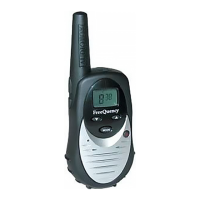
U1
U2
4-2-4. VOX Adjustment
1. Place the Radio on channel 4 (446.04375MHz).
2. Adjust by hardware parameter setting function of CPS (Computer Programming System).
3. Adjust VOX Sensitivity High first.
4. Operate the transmitter and establish audio level so that deviation becomes 0.6KHz.
5. Stop the transmission.
6. Click Auto Tune key of VOX Sensitivity High.
7. Adjust VOX Sensitivity Low next.
8. +7dB raises audio level than 4).
9. Click Auto Tune key of VOX Sensitivity Low
.
4-3. TRANSMITTER ALIGNMENT
Note: In order to obtain proper transmission output power, connect the Radio to the power supply with a cable that is
rated to withstand a current of 2 amperes or greater.
4-3-1. POWER Adjustment
1. Connect the Radio in accordance with Figure 2
2. Adjust by hardware parameter setting function of CPS (Computer Programming System).
Adjust power by four different frequency points.
3. Please click Adjust button of frequency of 1.
Lamp in a button turns on red when clicks PTT button.
Radio becomes the transmission of state.
Move a button in a screen, and please adjust the transmission output in 0.9 W 0.1W.(Conducted power)
Check to make sure that the transmit current is within 800 mA after the adjustment has been made.
Click PTT button, and please stop the transmission.
4. Click Program button, then Radio is programmed.
8



 To Next Page