Wonder Bug
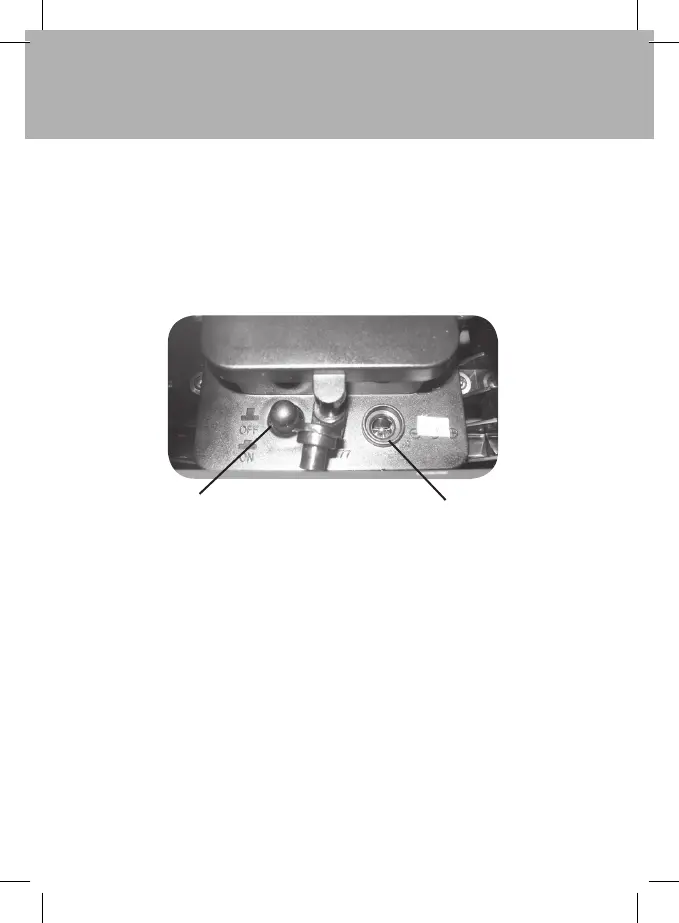
The Handset LED will turn red to show that the batteries are charging, the LED will change
to green when charging has been completed.
It may take up to 12 hours to fully charge if the battery has been fully discharged.
When charging is complete disconnect the charging cable and replace the
charging socket cover.
Only use the battery charger provided with your Wonder Bug.
Replacing the batteries in your Wonder Bug
Using a screwdriver remove the battery cover, taking care not to dislodge the gasket.
Remove the exhausted battery pack by disconnecting the connector. You must only
replace the battery pack with the equivalent size and type; see technical specification
for the battery information. Connect the new battery and replace the battery cover and
secure. Ensure that the gasket is correctly fitted. Please dispose of the battery properly by
taking it to a recycling point. Do not dispose in your household waste.
Charging
socket cover
Charging socket


 To Next Page