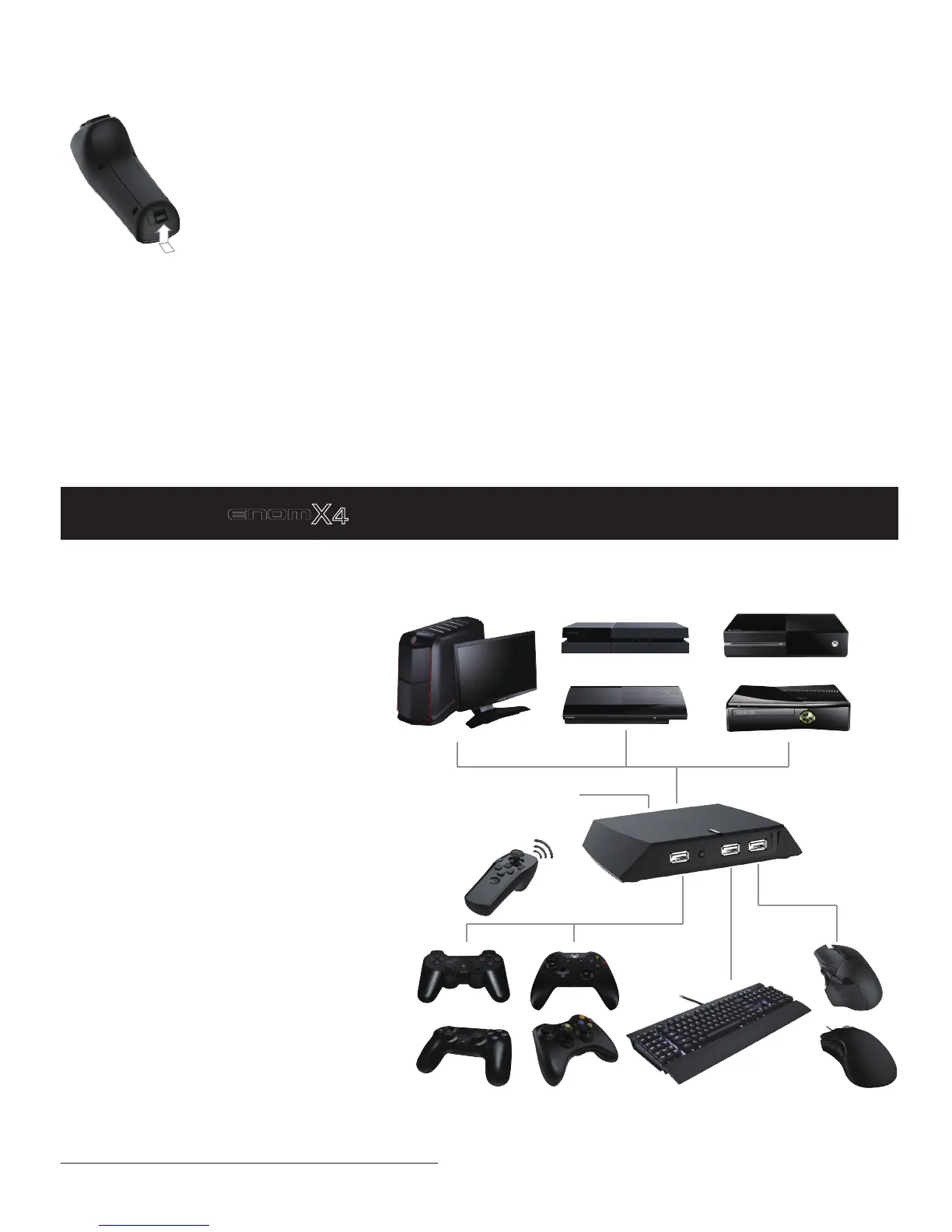
Connect
V
enom
X4
TM
Host
Battery
Venom-X4 Wand works with one AA size battery: 1.2V Ni-CD/Ni-MH rechargeable, 1.5V carbon zinc or alkaline
battery.
Power saving: The Wand will enter into the standby mode automatically after 5 minutes no activities; and will be
turned off after 10 minutes to reduce the battery consumption.
Open the wand battery cover to install battery :
PC
PS3 XBox360
XBox One/S
Micro USB cable
Depending on the controller connected to
the front USB port, Venom-X4 identifies 5
gaming platforms, referred as the following
modes:
1. Console mode: Playstation 3/Playsta-
tion 4 Mode (including PS4 Slim and Pro);
Xbox360/XBox One Mode (including XBox
One S);
2. PC Mode.
A connected PS3/PS4, or an Xbox360/X-
boxOne controller will let the Venom-X4
Transceiver entering into the console
mode, the LED lights up with 1 of the 6
colors.
If no controller is connected to the Trans-
ceiver, it enters into the PC mode, the LED
lights up with white color.
Note: For using with console, the control-
ler MUST be connected to the Transceiver
all the time during the game play.
The PC mode is for PC game play and
Setup.
PS4/Slim/Pro
External Power Supply:
5V charger (option)
Push in and lift up to open
There is a PS4 and an Xbox One
cable holder included in the package.
Always install the holder to prevent the USB socket on controller from getting loose. More details about the
holder and the installation, please refer to the Cable/Holder installation guide at:
http://www.tuact.com/products/usb-cable-holder


 To Next Page