Operation
Many of the Venom-X settings and functions can be adjusted and turned on/off during game play.
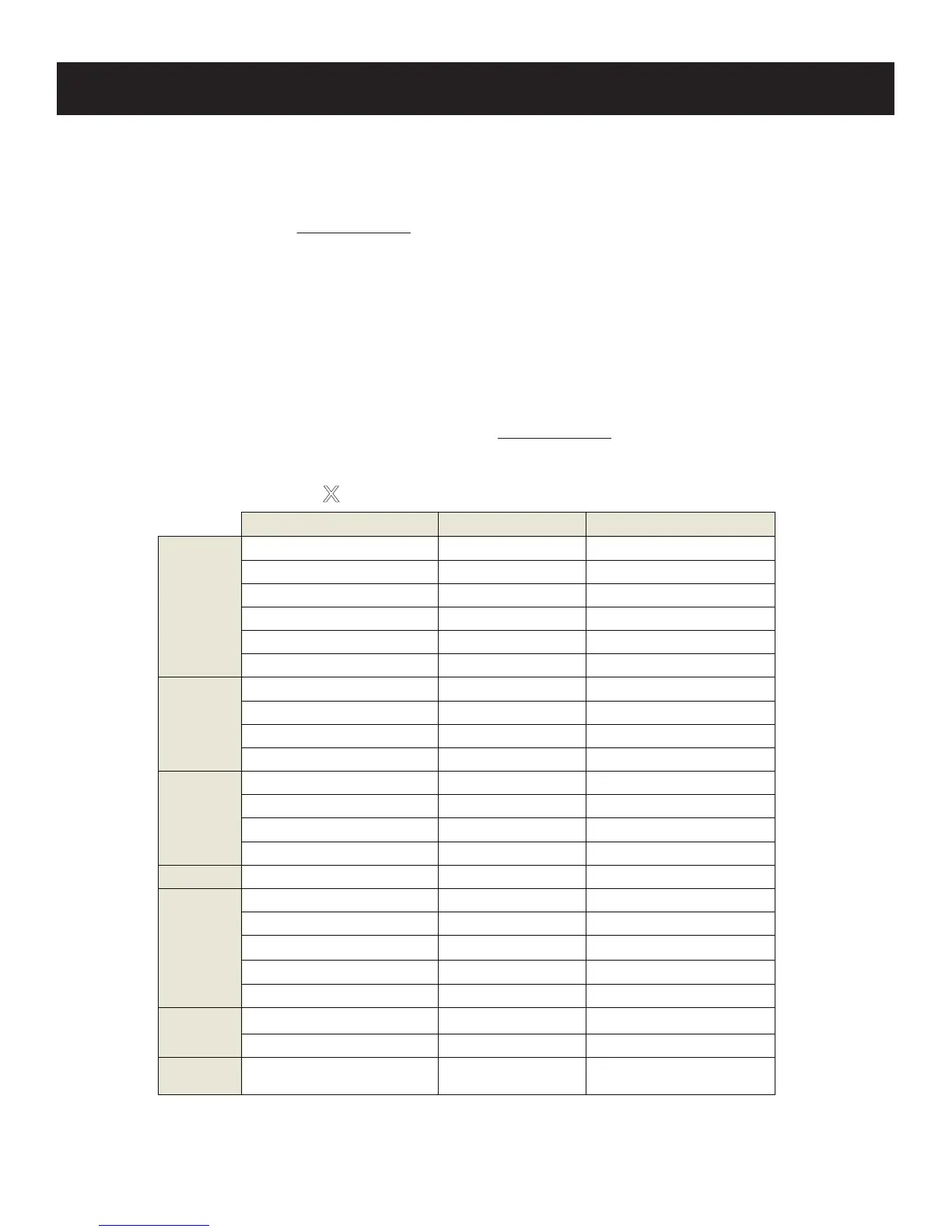
The chart below lists all the functional key combinations for users to adjust On the Fly. We will always keep adding
more functions for users, the setup software will alert users of any new firmware or software automatically. You
can also check our website at www.tuact.com for the new update information.
Terms used in the chart:
• F button: Each of the Venom-X mouse and wand has one F (function) key,
referred as the F(L) on wand, and F(R) on mouse.
• “+”: "+" The symbol of "+" means press two keys at the same time momentarily
• ADS: Aim Down Sight
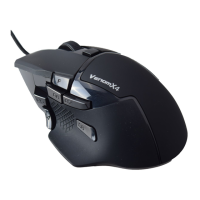
• “▲” and “▼”: The up/down buttons on the mouse top.
• “
↑↓→←
”: The arrow keys on keyboard
To learn about more terms please check our website at: www.tuact.com
Function Operation Result
Increase Deadzone F(R) + Wheel-Up
16-100
Decrease Deadzone F(R) + Wheel-Down
16-100
Increase ADS Deadzone F(L) + Wheel-Up
16-100
Decrease ADS Deadzone F(L) + Wheel-Down
16-100
Deadzone Square F(R) + R6
Square selected
Deadzone Circular F(R) + R5
Circle selected
Mouse speed increase F(R) + D-PAD-Up
0.2x/step increment
Mouse speed decrease
F(R) + D-PAD-Down
0.2x/step decrease
ADS Mouse speed increase
F(L) + D-PAD-Up
0.2
x/step increment
ADS Mouse speed decrease
F(L) + D-PAD-Down 0.2x/step decrease
Auto Firing On/Off F(R) + R1
Toggle Auto firing on/off
Auto firing tap select increase F(R) + R4
Burst 2->3->4->Continue
Auto firing tap select decrease F(R) + R7
Continue-> 4->3->2 burst
Aim Down Sigh Lock On/Off F(L) + L1 Toggle ADS Lock on/off
Swap Swap Left stick and mouse F(L) + L3
Swap Enable/Disable toggle
Increase Mouse DPI
▲
shortly
DPI Low->Mid->High
Decrease Mouse DPI
▼
shortly DPI High->Mid->Low
Logo Light On/Off
▲
+
▼
Toggle Logo Light On/Off
Pair Wand to Transceiver F(L) + L4
Enter Pair mode
Pair mouse to Transceiver F(R) + Start Enter Pair mode
Mouse
Speed
Deadzone
Firing
options
Mouse
Setup
Matching
V
enom
X
TM
On the Fly Setup Command
Profile
Select
Select settings profile
Press Profile button
on Transceiver Box
Red->Blue->Green in Cycle
Hold
▼
for 1 Sec
Hold
▲
for 1 Sec
Increase Mouse polling rate
Decrease Mouse polling rate
125->250->500->1KHz, flash 1-4 times
1K->500->250->125Hz, flash 4-1 times



 To Next Page