EasyManua.ls Logo

Tulip TP800 - Display Icon Introduce

Default Icon
16 pages
Print Icon
To Next Page IconTo Next Page
To Previous Page IconTo Previous Page
Loading...
5
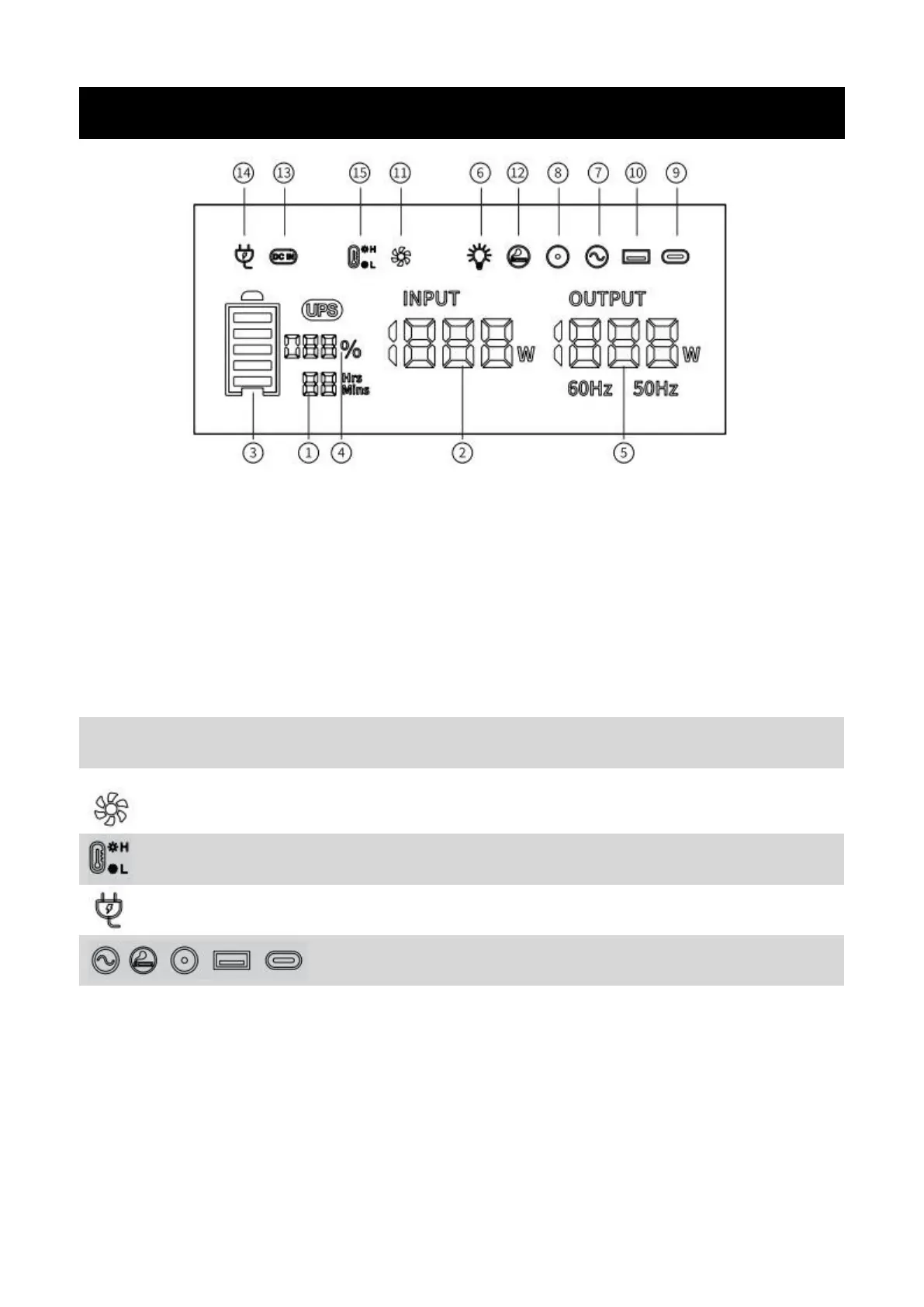
Charging/using time
Total input power
Battery Progress Bar
Power percentage
Total output
power
LED light
AC output
DC output
Type-c output
USB output
Fan state
Cigar lighter
output
XT60 charging
AC charging
High/low temperature
protection
Display Icon Introduce
Display Attention
When this icon light up. Please keep Air intake/outlet unobstructed.
When this icon is blinking, represent that the AC input is faulty, please
recheck (Power/Hz/cable).
When the icon is blinking, represent the output is fault,
please recheck.
Please note that the device is now with high/low temperatures and may
cease functioning until the temperature returns to the normal standard.