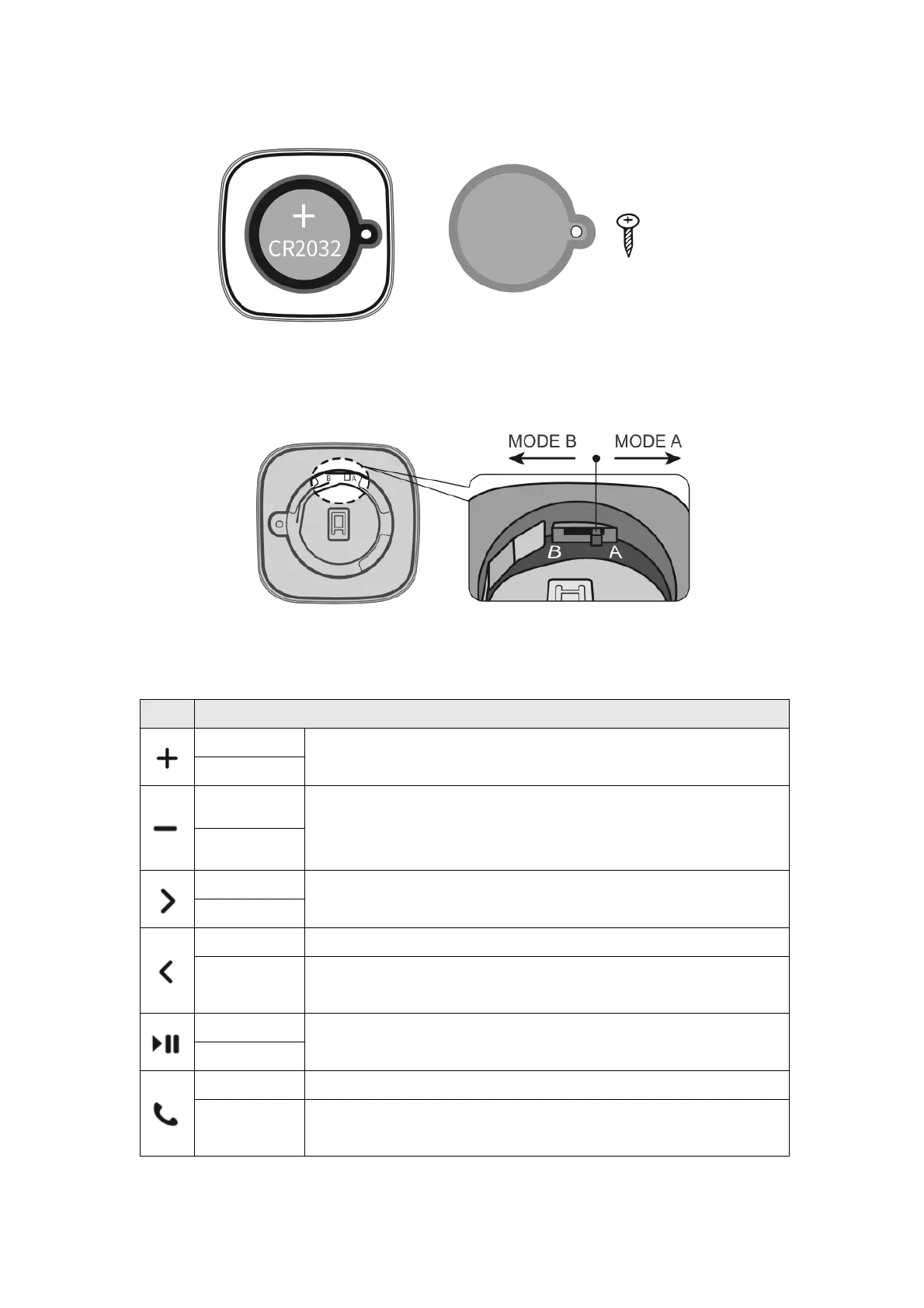
3. Remove the battery。
4. Switching the mode.
Key Description for iPhone 5,5S,6,6S,7,7S,8,8S Users
Short Press: Volume Up /Camera Shutter (When using
camera)
Short Press: Volume Down/Camera Shutter (When
using camera)
Long Press: Mute
Short Press: Next Track
Long Press: Power Key / Reject call / End call
Short Press: Previous Track
Short Press: Previous Track
Long Press: Hide / Unhide Keyboard
Short Press: Play / Pause / Answer call
Short Press: Play / Pause / Answer call
Short Press: Answer call / Home key shortcut
Long Press: Trigger Siri


 To Next Page