EasyManua.ls Logo

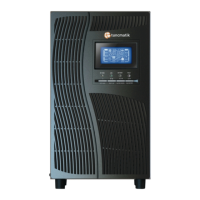
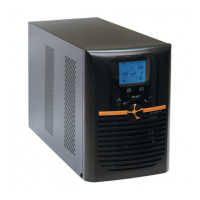
Tuncmatik NEWTECH PRO 3 KVA - User Manual

Tuncmatik NEWTECH PRO 3 KVA
16 pages
Print Icon
To Next Page IconTo Next Page
Loading...
info@tuncmatik.com / www.tuncmatik.com
NEWTECH PRO
1-2-3 KVA ONLINE
UNINTERRUPTIBLE POWER SUPPLY
USER MANUAL

Questions and Answers

Summary

Important Safety Warnings

Transportation Safety

Transport the UPS system only in the original package to protect against shock and impact.

Preparation and Environment

Ensure the UPS system is dry and acclimated to the environment before installation. Avoid moist or direct sunlight exposure.

Installation Precautions

Do not overload the UPS, place cables safely, and connect only to earthed outlets using VDE-tested cables.

Operational Safety

Do not disconnect mains cable during operation. UPS output may be live even when not connected to mains.

Maintenance and Service Hazards

UPS operates with hazardous voltages. Repairs by qualified personnel only. Disconnect batteries before service.

Installation and Setup Guide

Rear Panel Overview

Diagrams illustrating the rear panel ports and connections for various NEWTECH PRO UPS models.

UPS Connection and Configuration

Steps for UPS input/output connection, communication setup, network connection, and software installation.

UPS Operations and Controls

Button Functions

Detailed explanation of the functions for ON/Mute, OFF/Enter, and Select buttons for UPS operation.

LCD Panel Display

Description of the LCD panel indicators, including backup time, fault information, load, and mode status.

Audible Alarm Meanings

Explains the meaning of different audible alarms for Battery Mode, Low Battery, Overload, Fault, and Bypass Mode.

LCD Wordings Index

An index of abbreviations displayed on the LCD screen and their corresponding meanings.

UPS Parameter Settings

Guide to setting UPS parameters such as output voltage, frequency, ECO mode, and bypass settings.

Operating Mode Descriptions

Details on Online, ECO, Frequency Converter, Battery, Bypass, and Standby modes with LCD display examples.

Fault Codes Reference

Lists fault events, their codes, icons, and descriptions for troubleshooting UPS issues.

Warning Indicator Guide

Explanation of warning indicators, their icons (flashing), and associated alarms for immediate alerts.

Troubleshooting UPS Issues

Storage and Maintenance

General Operation Notes

Information on non-user-serviceable parts and battery replacement. Proper disposal of spent batteries is advised.

Storage Guidelines

Instructions for storing the UPS, including charging before storage and recharge frequency based on temperature.

Tuncmatik NEWTECH PRO 3 KVA Specifications

General IconGeneral
Input Voltage Range160-280 VAC
Frequency50/60 Hz
WaveformPure Sine Wave
Battery Voltage72 VDC
Transfer Time0 ms
Operating Temperature0-40 °C
Power Capacity3 KVA
Input Voltage220-240V AC
Output Voltage230 VAC
CommunicationRS232, USB
Battery TypeSealed Lead-Acid (SLA)
TopologyDouble Conversion Online

Related product manuals