ID-Lock Smart Installation guide - Ver. 1.3
20
Step 17
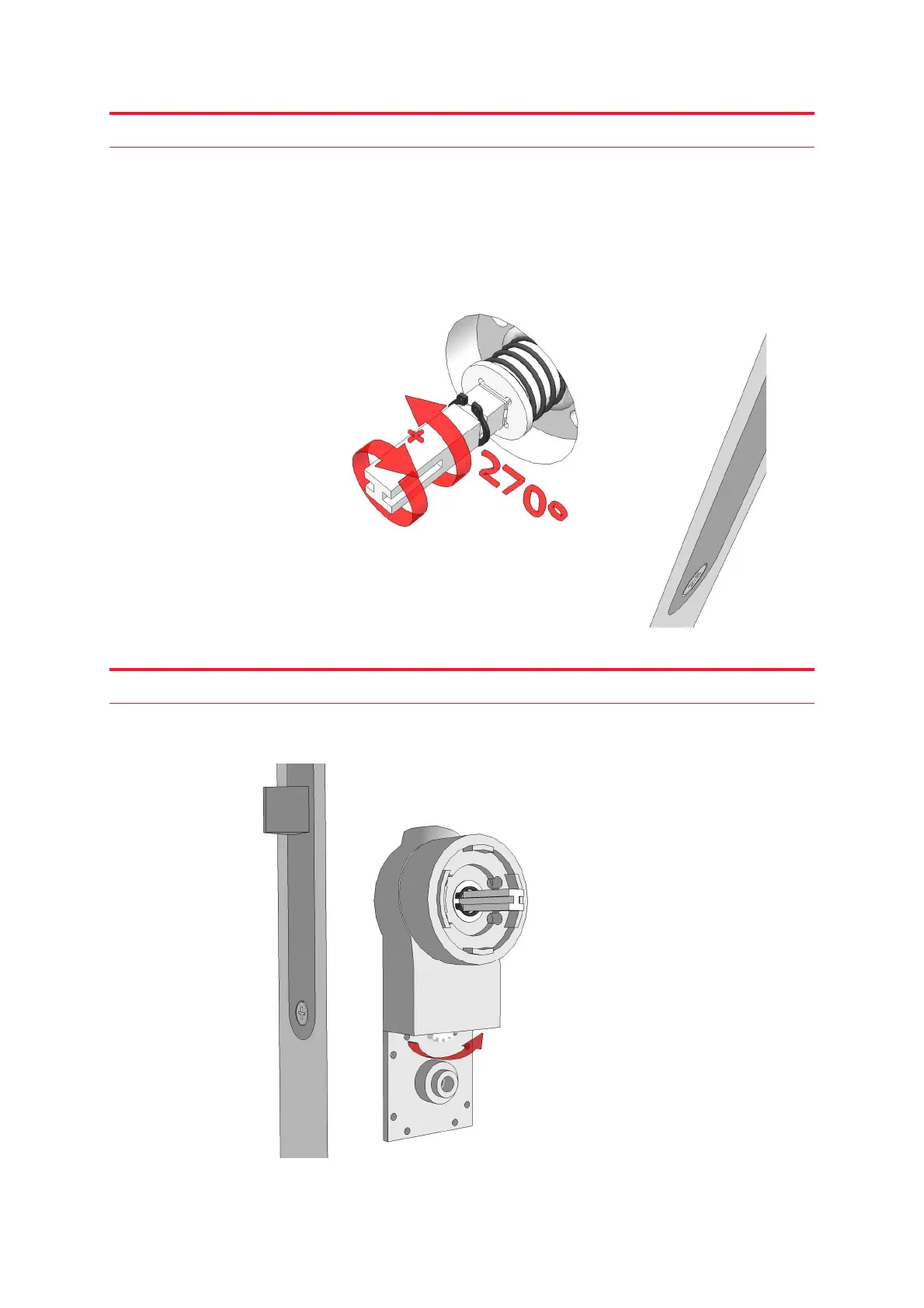
Screw on the outer spindle until it comes to a stop, then unscrew it between 180 to 270
degrees (½ to ¾ of a turn), and make sure it is aligned with the main spindle (the outer wire
sleeve should be able to slide over the outer spindle).
Step 18
Now release the outer wire sleeve by rotating the cogwheel counter-clockwise. This ensures
that the outer spindle stays in place when you mount the handles.



 To Next Page