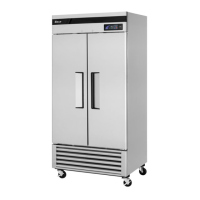
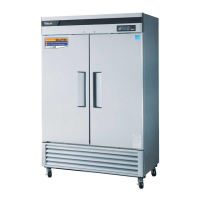
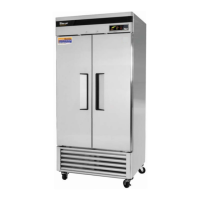
This document describes the Turbo Air Refrigerator and Freezer, an appliance designed for commercial use, featuring a full stainless steel interior and exterior. The manual provides installation, operation, and maintenance guidelines for various models of solid door refrigerators and freezers.
Function Description
The Turbo Air Refrigerator and Freezer units are designed to provide reliable temperature control for food storage in commercial settings. Refrigerators maintain temperatures suitable for fresh food, while freezers are designed for long-term frozen storage. Both types of units utilize electronic controllers for automatic temperature cycling and defrost functions.
Important Technical Specifications
The manual lists several models with varying specifications:
Refrigerators:
- TSR-23SD*:
- Compressor H.P.: 1/4
- V/Hz: 115V/60Hz
- Refrigerant: R-134a
- Amps: 5.5A
- Weight: 274lbs
- TSR-35SD:
- Compressor H.P.: 1/3
- V/Hz: 115V/60Hz
- Refrigerant: R-134a
- Amps: 9A
- Weight: 357lbs
- TSR-49SD:
- Compressor H.P.: 1/3
- V/Hz: 115V/60Hz
- Refrigerant: R-134a
- Amps: 9.2A
- Weight: 427lbs
- TSR-72SD:
- Compressor H.P.: 1/2
- V/Hz: 115V/60Hz
- Refrigerant: R-134a
- Amps: 11.3A
- Weight: 602lbs
Freezers:
- TSF-23SD:
- Compressor H.P.: 1/2
- V/Hz: 115V/60Hz
- Refrigerant: R-134a
- Amps: 7.8A
- Weight: 293lbs
- TSF-35SD:
- Compressor H.P.: 3/4
- V/Hz: 115V/60Hz
- Refrigerant: R-134a
- Amps: 10A
- Weight: 390lbs
- TSF-49SD:
- Compressor H.P.: 3/4
- V/Hz: 115V/60Hz
- Refrigerant: R-134a
- Amps: 10.5A
- Weight: 457lbs
- TSF-72SD:
- Compressor H.P.: 1 1/4
- V/Hz: 115V/208~230/60Hz
- Refrigerant: R-134a
- Amps: 10.4A
- Weight: 639lbs
The serial number for each unit is located on the data label inside the appliance.
Usage Features
Installation:
- Good Air Circulation: Requires at least 5 inches of clear space from the rear of the unit to the wall to ensure proper airflow and prevent obstruction.
- Strong Ground: Must be placed on a floor strong enough to support the total weight of the cabinet and its contents.
- Avoid Heat Sources: Should not be placed near hot corners, stoves, or in direct sunlight, as high ambient temperatures reduce cooling efficiency.
- Indoor Use Only: Designed for indoor installation to prevent exposure to rain.
- Stabilizing and Leveling: The unit must be installed in a stable, level condition with the front wheels locked.
- Dedicated Outlet: Each unit requires a dedicated electrical outlet.
- Condensate Pan: A black plastic condensate pan must be placed through the back or front, ensuring pads are installed upwards and a drain hose is in the pan.
Basic Operation (Refrigerators - TSR-23SD*, TSR-49SD, TSR-72SD):
- Power On: Plug in and turn on the power switch located on the bottom of the top grille (right side). The display panel will light up, emit a beep, and the compressor will start.
- Default Temperature: The default temperature setting is "5".
- Automatic Cycling: The compressor is automatically controlled by an electronic controller (PCB, D-Sensor).
- Automatic Defrost: The defrost cycle is automatically controlled by the R-sensor and the PCB.
- Temperature Setting: Users can adjust the temperature level from "1" (higher temperature) to "9" (lower temperature).
- Interior Light: Activated by a rocker switch at the bottom of the grille when the door is opened.
- Evaporator Fan: Runs only after all doors are completely closed.
Refrigerator Display Panel Features:
- Inner Temperature Display: Shows the inside temperature, with a range of 14°F to 69°F (-10°C to +20°C). Displays "LO" for temperatures below 14°F and "HI" for temperatures above 69°F.
- Fan Running Indicator: Illuminates when the fan motor is running. The evaporator fan motor activates when the door (or all doors for multi-door models) is closed.
- Door Opening Indicator: Illuminates when any door is open.
- A warning beep sounds three times if a door is open for approximately 30 seconds.
- The beep sounds five times if a door is open for approximately 1 minute.
- The beep sounds continuously if a door is open for approximately 5 minutes.
- The beep stops immediately when the door is properly closed.
- Turbo Cooling:
- Activated by pushing the T.C. (Turbo Cooling) button. The compressor runs continuously until the D-Sensor detects 14°F (-10°C) to quickly lower the temperature (maximum compressor run time is 120 minutes).
- Pushing the T.C. button again during Turbo Cooling mode returns the compressor to normal operation.
- The Up/Down temperature buttons do not affect compressor operation during Turbo Cooling mode.
- Up/Down Button (Temperature Control): Allows setting the inside temperature level from "1" to "9". Pushing the Down button lights higher level numbers for lower temperatures.
Basic Operation (Freezers - TSF-23SD, TSF-49SD, TSF-72SD):
- Power On: Similar to refrigerators, plug in and turn on the power switch. The display panel will light up, beep, and the compressor will start.
- Default Temperature: The default temperature setting is "5".
- Automatic Cycling: The compressor is automatically controlled by an electronic controller (PCB, F-Sensor).
- Automatic Defrost: The defrost cycle is automatically controlled by the D-sensor and the PCB.
- Temperature Setting: Users can adjust the temperature level from "1" (higher temperature) to "9" (lower temperature).
- Interior Light: Activated by a rocker switch at the bottom of the grille when the door is opened.
- Evaporator Fan: Runs only after all doors are completely closed.
- Good Air Flow: Critical for freezer units. Products should not press against the back wall or be within four inches of the evaporator compartment.
Freezer Display Panel Features:
- Inner Temperature Display: Shows the inside temperature, with a range of -50°F to 50°F (-45°C to +10°C). Displays "LO" for temperatures below -50°F and "HI" for temperatures above +50°F.
- Fan Running Indicator: Illuminates when the fan motor is running. The evaporator fan motor activates when the door (or all doors for multi-door models) is closed.
- Door Opening Indicator: Similar to refrigerators, it illuminates when any door is open and provides audible warnings for prolonged open doors (3 beeps at 30 seconds, 5 beeps at 1 minute, continuous beeping at 5 minutes).
- Manual Defrost:
- Initiated by pushing the MANUAL DEFROST button for 5 seconds.
- During manual defrost, the Up/Down temperature buttons cannot cycle the compressor ON or OFF.
- To return to normal mode from manual defrost, push the MANUAL DEFROST button for 5 seconds again.
- Up/Down Button (Temperature Control): Allows setting the inside temperature level from "1" to "9". Pushing the Down button lights higher level numbers for lower temperatures.
Defrost (Freezers):
- Automatic Defrost Cycle: The electronic defrost controller is factory-set to provide a defrost cycle every 6 hours (4 times per day).
- Adjustable Intervals: Defrost intervals can be changed by adjusting a switch located inside the top grille if unusual operating conditions require it.
- Defrost Termination: Once frost is eliminated, the temperature rises to 60°F (15°C). When sensed by the defrost limit control, the unit switches back to refrigeration mode.
- Display during Defrost: The panel displays "dF" during the defrost cycle.
Maintenance Features
Cleaning:
- Interior and Exterior: Can be cleaned with warm water and soap. Abrasive cleaners should not be used to avoid scratching the stainless steel surface.
- Condenser Fins: Must be kept free of dust, dirt, and grease for proper refrigeration performance. Periodic cleaning is required, at least every three months (90 days) or as needed.
- Gasket: The door gasket should be cleaned frequently to maintain proper sealing.
- Post-Cleaning Check: After cleaning, verify the unit's safety and proper operation.
Power Cord:
- Ensure the power cord is connected to the proper voltage.
- A protected circuit with correct voltage and amperage is required.
- Turn off the power switch before disconnecting the power cord for maintenance or cleaning.
- The TSF-72SD dual voltage freezer requires a specific receptacle type (shown in the manual).
- Compressor warranties are void if the compressor burns out due to low voltage.
Re-starting:
- If the unit is disconnected, wait for 5 minutes before re-starting.
Troubleshooting (Symptoms, Causes, Solutions):
- Freezer melting food: Controller set too high, power connection failure, unit near heat, hot/excessive food, door open too frequently/long, incorrect temp dial position, clogged condenser. Solutions include adjusting temperature, checking power, relocating unit, checking food load, ensuring door closure, adjusting dial, cleaning condenser.
- Unit not refrigerating at all: Power connection failure. Solution: Check power cord and plug.
- Unit not refrigerating well: Unit in sunlight/near heat, hot/excessive food, door open too frequently/long, incorrect temp dial position, clogged condenser. Solutions: Check installation, food condition, door closure, dial position, clean condenser.
- Loud noise: Weak floor/incorrect leveling feet, unit too close to wall, incorrect tray position. Solutions: Adjust installation and tray position.
- Dew-drops on unit exterior: High-moisture air during rainy season. Solution: Wipe with dry cloth.
- Dew-drops on unit interior: Door open too frequently/long, damp food stored. Solutions: Keep door closed, remove dewdrops.
- Door not closing tightly: Bent door, leveling failure, door gasket come out. Solutions: Level unit, reposition gasket.
Normal Operating Sounds (Not Malfunctions):
- Water-flowing sound when the compressor stops (refrigerant flow).
- Compressor not running during defrost function.
Warranty Information:
- Three-Year Parts & Labor Warranty: Covers defects in material or workmanship under normal use for three years from original installation or 39 months after shipment, whichever comes first. Includes standard straight time labor charges and reasonable travel time.
- Additional Two-Year Compressor Warranty: Extends compressor coverage for two additional years (total five years from installation or 63 months after shipment). Applies only to hermetically and semi-hermetically sealed parts of the compressor, not other components.
- 134A(404A) Compressor Warranty Conditions:
- Requires R134A/R404A refrigerant and polyol ester lubricant. If exposed to ambient conditions, lubricant must be removed and replaced with approved types (ICI-Emkarate RL 184, Emery-2927-A, Mobile Artic 22A). Failure to comply voids warranty.
- Dryer replacement is critical when the system is opened for servicing; XH-9 desiccant dryer must be used.
- Micron level vacuums (500 microns or lower) must be achieved to ensure low moisture levels.
- If the compressor is grounded, suction drier and A620 drier or better must be replaced.
- Compressor must be obtained through Turbo Air's warranty department unless otherwise specified.
What is NOT covered by warranty:
- Non-transferable: Warranty applies only to the original purchaser/user.
- No Consequential Damages: Turbo Air is not responsible for economic loss, profit loss, or special, indirect, or consequential damages, including food/product spoilage claims.
- Alteration, Neglect, Abuse, Misuse, Accident, Damage: Damage during transit or installation, fire, flood, or acts of God are not covered.
- No Implied Warranty: No other warranties, express or implied, beyond the stated three-year parts & labor and two-year compressor warranties.
- Transportation Costs: Turbo Air covers freight collect for approved parts, but not other transportation costs.
- Warranty Claims: Must include model number, serial number, proof of purchase, installation date, and supporting information.
- Improper Electrical Connections: Damage from electrical power failure, extension cords, low voltage, or voltage drops are not covered.
- Outside U.S. and Canada: Warranty does not apply to products sold or used outside the continent of the United States and Canada.
The new extended warranty policy applies to all units sold by Turbo Air starting December 1, 2012.

 Need help?
 General



 To Next Page

