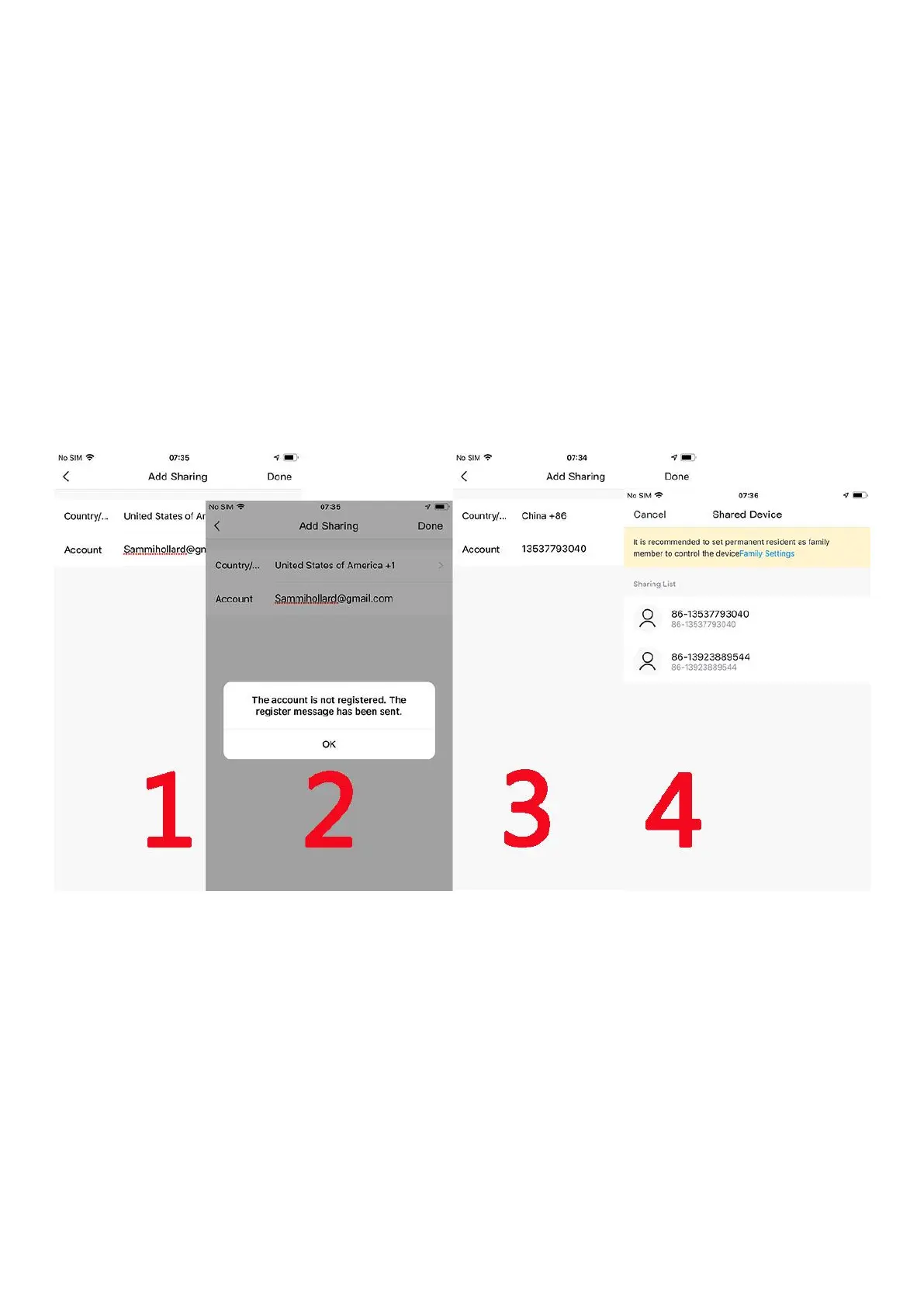
6. Share Video to Friend
6.1. Add your Friend’s account in app
NOTE: Firstly ensure Friend’s account already registered
in Smartlife app
6.2 Share video to your Friend’s account
7. Alarm Push Notification and playback
Battery camera with PIR sensor is not designed for 7X24 all
day recording, but just push alarm message notification to
phone app and record video to SD card when PIR sensor
detected human body motion events, then you can
playback the motion videos wherever you are via Smartlife


 To Next Page