6
❚
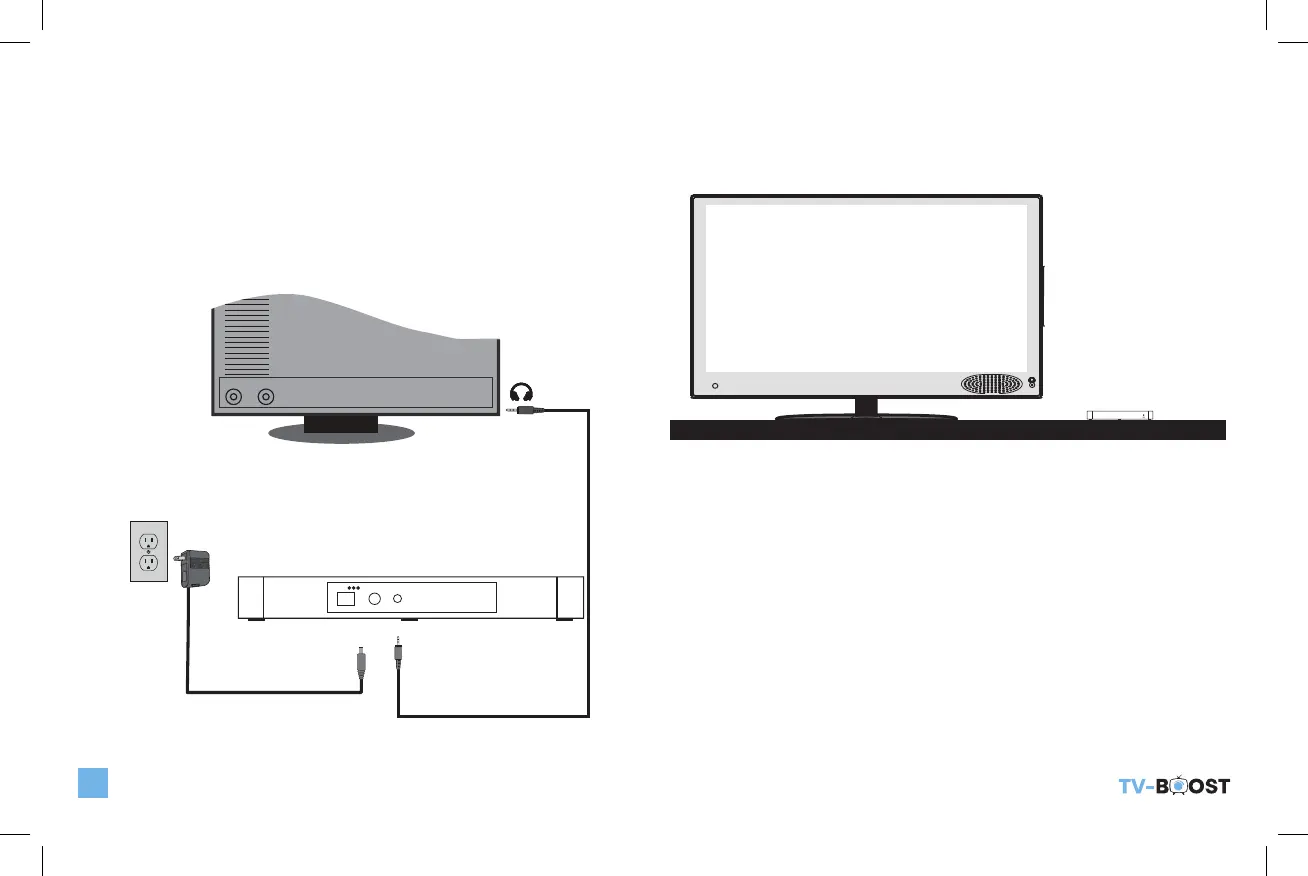
METHOD 2: CONNECT TO THE TV HEADPHONE OUTPUT
JACK ON YOUR TV USING RCA CABLES.
Connect the Base to the back of the TV using the RCA to
3.5mm cable as shown below. Once audio is detected, the
green LED on the Base will stop flashing; a slow blinking LED
indicates audio is NOT detected. Make sure your TV is on and
the Audio settings in your TV is set to output sound to external
speakers.
R L
AC adapter
Audio Cable
DC5V
POWER AUDIO IN PAIRING
Headset
Jack Output
❚
PLACEMENT OF TV-BOOST™ WIRELESS SPEAKER
SYSTEM
We recommended to place the of TV-Boost™ Wireless Speaker
System Base on your TV stand next to your TV as shown below.
TV_Boost_B6000ManualRev2.indd 6 10/20/22 10:47 AM


 To Next Page