8
❚
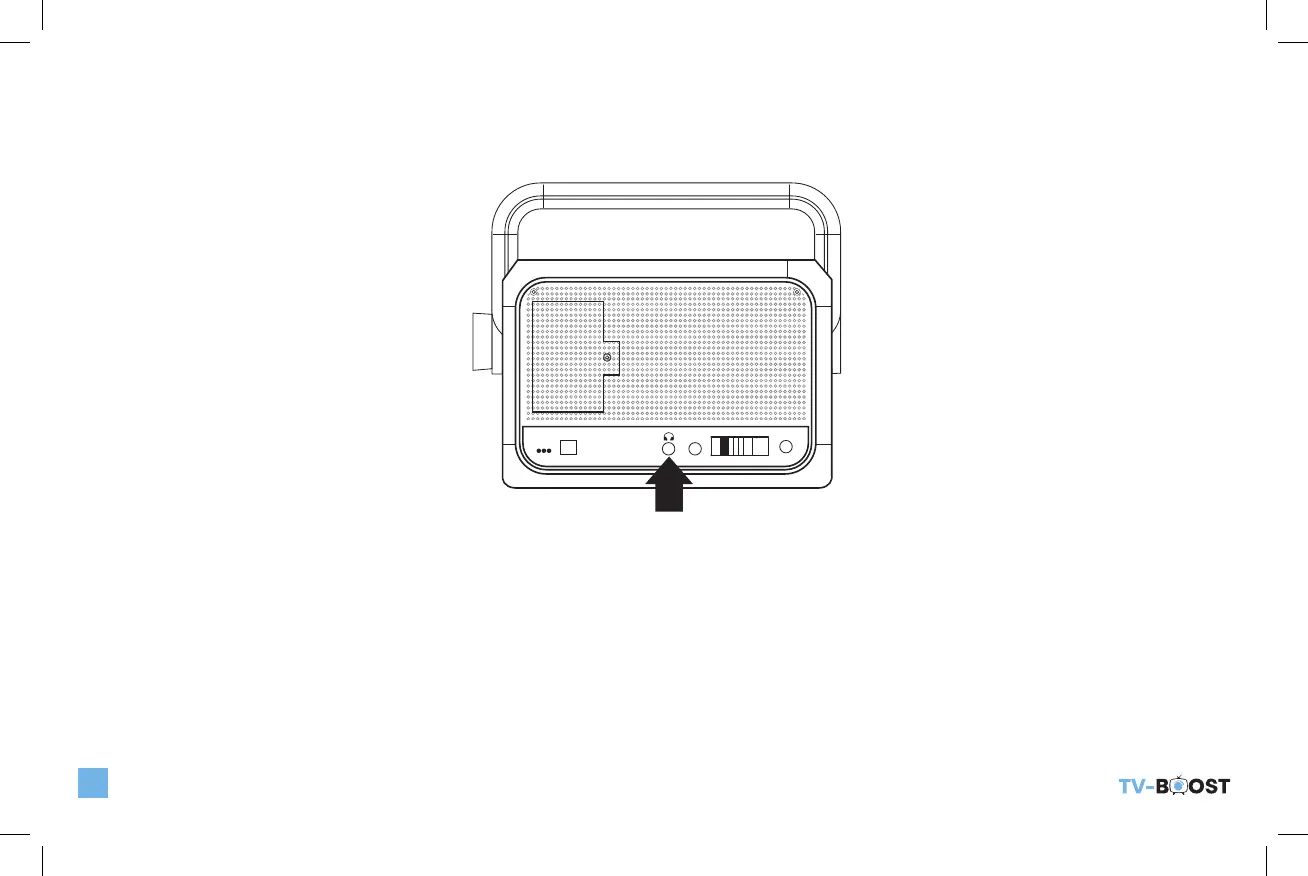
CONNECTING INCLUDED HEADPHONES TO TV-BOOST™ WIRELESS SPEAKER
Plug in your headphone to the Headphone jack on the side of the TV-Boost™ Wireless Speaker as shown below. No sound will be
emitted from the Speaker while the Headphone jack is plugged in. Adjust the headphone volume by rotating the Volume knob on
the Speaker.
DC5V
POWER
MUSIC
AUDIO IN
TV
PAIRING
TONE
❚
OPERATING YOUR TV-BOOST™ WIRELESS SPEAKER
1) Rotate the Volume knob to turn receiver On (or Off) and to adjust the sound volume to the desired level. The POWER LED will
light up GREEN when the TV-Boost™ Wireless Speaker System is powered on.
2) The TV-Boost™ Wireless Speaker volume control works independently from the volume control of your TV speakers. You can
turn the volume on your Television to low or even off. On some TV’s, you may need to use your remote to go into the TV menu to
achieve an optimal audio/speaker setting. Please refer to your Television User’s Manual for more information.
TV_Boost_B6000ManualRev2.indd 8 10/20/22 10:47 AM


 To Next Page