Maintenance
ENGLISH
9
Replacing the foam TV Ear Tips
withtheSiliconeEarTips:
Note: Depending on usage, silicone ear tips will
become discolored and dirty with use. For
cleanliness, wash the silicone ear tips with mild soap
and warm water every 30 days. We recommend
replacing silicone ear tips at least every 6 months or as
needed.
1. If you have the foam TV Ears Tips installed on your
headset and are replacing them with the silicone
ear tips, remove the black snap tips adapters.
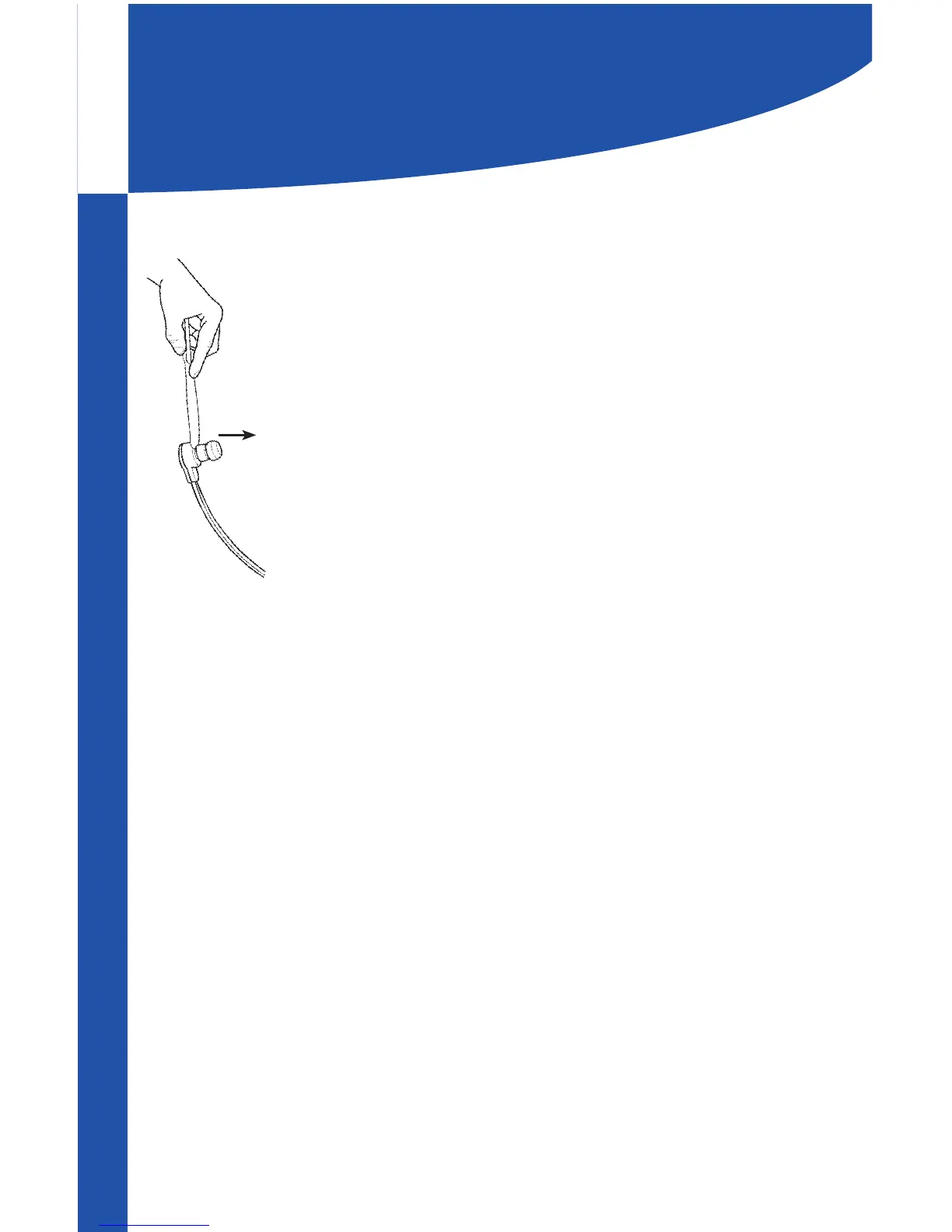
To remove the snap tip adapters, you will need
something with a at edge such as a butter knife or
a spoon.
2. Place your at object in the gap between the snap
tip adapter and the headset. Gently force the snap
tip adapter o the headset.
3. Once the foam ear tips and snap tip adapters are
removed from the headset, place each silicone ear
tip directly onto the tip of the headset where the
snap tip adapter was initially located.
Replacing the Silicone Ear Tips
withfoamTVEarsTips:
Heed all above warnings and notes about foam
TV Ears Tips and Silicone Ear Tips.
1. If you are already using silicone ear tips, remove
them prior to installing TV Ears Tips. They will easily
pull o the headset.
2. Install the snap tip adapters by gently twisting
them onto the ends of the headset.
3. Follow steps 4-7 on the page 8 to install foam TV
Ears Tips.


 To Next Page