Need help?
Do you have a question about the TV Star T1030 and is the answer not in the manual?
Essential safety guidelines for operating the digital receiver safely and correctly.
Highlights specific warnings regarding electrical shock, heat, and battery handling.
Details the various input and output ports on the rear of the receiver.
Explains the functions of each button on the remote control for operating the receiver.
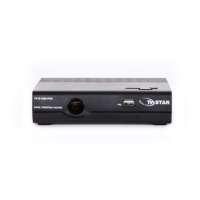
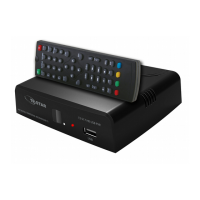
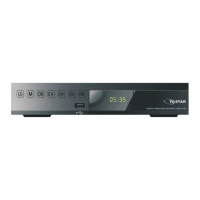
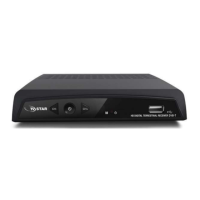
Identifies the buttons and ports located on the front panel of the receiver.
Lists the items provided in the package with the receiver.
Provides instructions for connecting the receiver to a TV using composite or HDMI cables.
Guides the user through the initial setup process upon first use.
Offers solutions for frequent issues like no picture, no sound, or remote control problems.
Covers settings for editing, locking, skipping, moving, and deleting TV or radio programs.
Explains how to select and manage favorite channels for quick access.
Details the process for removing unwanted TV or radio channels from the list.
Describes how to mark channels to be skipped during channel scanning or browsing.
Explains how to reorder channels in the program list.
Details how to set parental controls or restrict access to specific channels.
Introduces the EPG for viewing TV schedules and scheduling recordings.
Outlines different methods for organizing the channel list by LCN, Service Name, or Service ID.
Explains how to enable or disable LCN for manual channel sorting.
Covers adjustments for resolution and TV format to optimize picture quality.
Details procedures for automatic and manual channel scanning to find available broadcasts.
Allows configuration of time offset, country region, and time zone for accurate time display.
Covers adjustments for OSD language, subtitle language, and audio language.
Provides access to system-level configurations like password, factory reset, and information.
Describes how to set or change passwords for locked programs and master unlock.
Explains how to restore the receiver to its default factory settings.
Details how to play music, photos, and videos from a USB storage device.
Explains how to schedule and perform recordings using a connected USB device.
Describes how to pause live TV and resume playback later using a USB device.
Provides further details on timeshift operations, requirements, and controls.
Lists the technical parameters for the tuner section of the receiver.
Details the supported video and audio formats and output capabilities.
Specifies USB interface capabilities and power consumption ratings.
 General
| Brand | TV Star |
|---|---|
| Model | T1030 |
| Category | TV Receiver |
| Language | English |

 To Next Page