4. Welcome Page
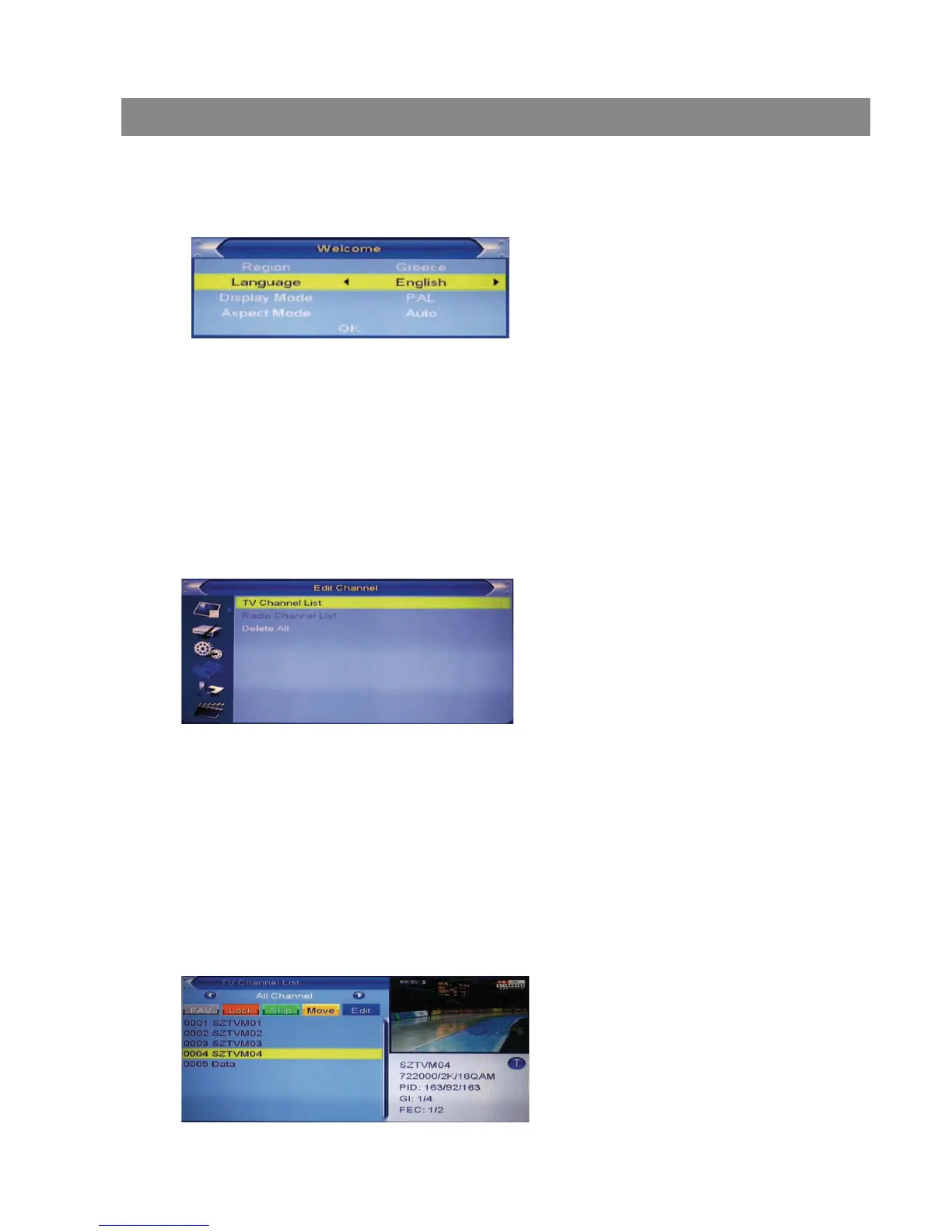
When turn on the power for the first time, the welcome page will be shown as
below:
4 Press [Exit] key to exit welcome page and enter into main menu.
1 Press [Up/Down] key to move highlight.
2 Press [Left/Right] key to select region, language, Display mode, Aspect
mode.
3 Move highlight to [OK] button and press [OK] key to begin the auto scan.
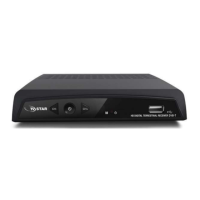
1 Press [Up/Down] key to select menu pages among Edit Channel,
Installation, System Setup, Tools, Game, and REC.
2 Press [OK] or [Right] key to enter the “Edit Channel”. If Menu Lock is “On”,
a dialogue inquires the password, “0000” is for default.
3 Press [Up/ down] key to select menu items among TV Channel List,
Radio Channel List and Delete All.
4 Press [Left] key or [Exit] key to go back to main menu.
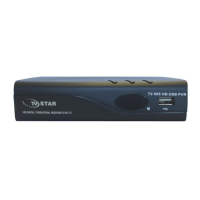
5.1 TV Channel List
When entering the “TV Channel List” menu, the window shows as below.
5. Edit Channel
When pressing the [MENU] key to enter the main menu, which shows
as below:
Basic Operations


 To Next Page