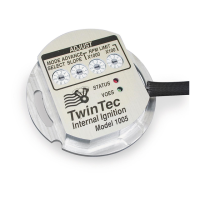
Daytona Twin Tec LLC, 933 Beville Road, Suite 101-H, S. Daytona, FL 32119 Model 1005
(386) 304-0700 www.daytona-twintec.com
5/2015
Page 9
Twin Tec module attached. Refer to the software
documentation for details.
The brown tachometer wire is used for the PC
link. The PC link can access the Twin Tec module
when the ignition is turned on and the engine has not
yet been started. Once the engine is started, the brown
wire resumes its normal function of driving the
tachometer. Note that no damage occurs if the engine
is inadvertently started while the PC link is still
attached.
The optional USB interface cable connects to
the brown tachometer wire as shown in Figures 4 and
5. The cable also has a ground clip that must be
connected to frame or engine ground. The other end of
the cable connects to the USB port on a laptop PC.
KICK START APPLICATIONS
Model 1005 units are preset at the factory with a
two revolution cranking delay that is optimum for
electric start applications. This cranking delay
precludes kick starting. Model 1005 units manufactured
starting January, 2006 can be programmed for kick
start mode. Twin Tec PC Link Evo software and USB
interface cable (P/N 18014) are required to program
kick start mode. The mode switch can also be used to
select single fire kick start mode on revision 8.3 and
higher Model 1005 units (refer to page 3 for details).
USE OF VOES INPUT FOR RETARD
The Twin Tec module can be programmed to
allow alternate usage of the purple/white VOES wire as
a retard input. If this feature is enabled, the unit will
retard timing up to 10 degrees when the purple/white
wire is grounded. This retard feature is useful for
turbocharger or nitrous oxide injection applications.
Twin Tec PC Link Evo software and USB interface
cable (P/N 18014) are required to program the retard
feature.
TROUBLESHOOTING FLOWCHART
Follow the troubleshooting flowchart shown on
the next page. Experience has shown that most units
returned for warranty are OK and another problem,
such as a defective coil, is later identified.
TROUBLESHOOTING TIP: If you are
installing an internal (nose cone)
ignition for the first time and the engine
will not start, the most likely problem is
improper static timing. Make sure that
the front piston is at TDC on the
compression stroke and not on the
exhaust stroke.


 To Next Page
 Loading...