Title: SPC1000 Basic Pump Controller User Manual
Page: 2 of 7
Reproduce of this Manual in whole or part, by any means, for any purpose is prohibited. Additional copies may be obtained by contacting
TXAM Pumps QA Department.
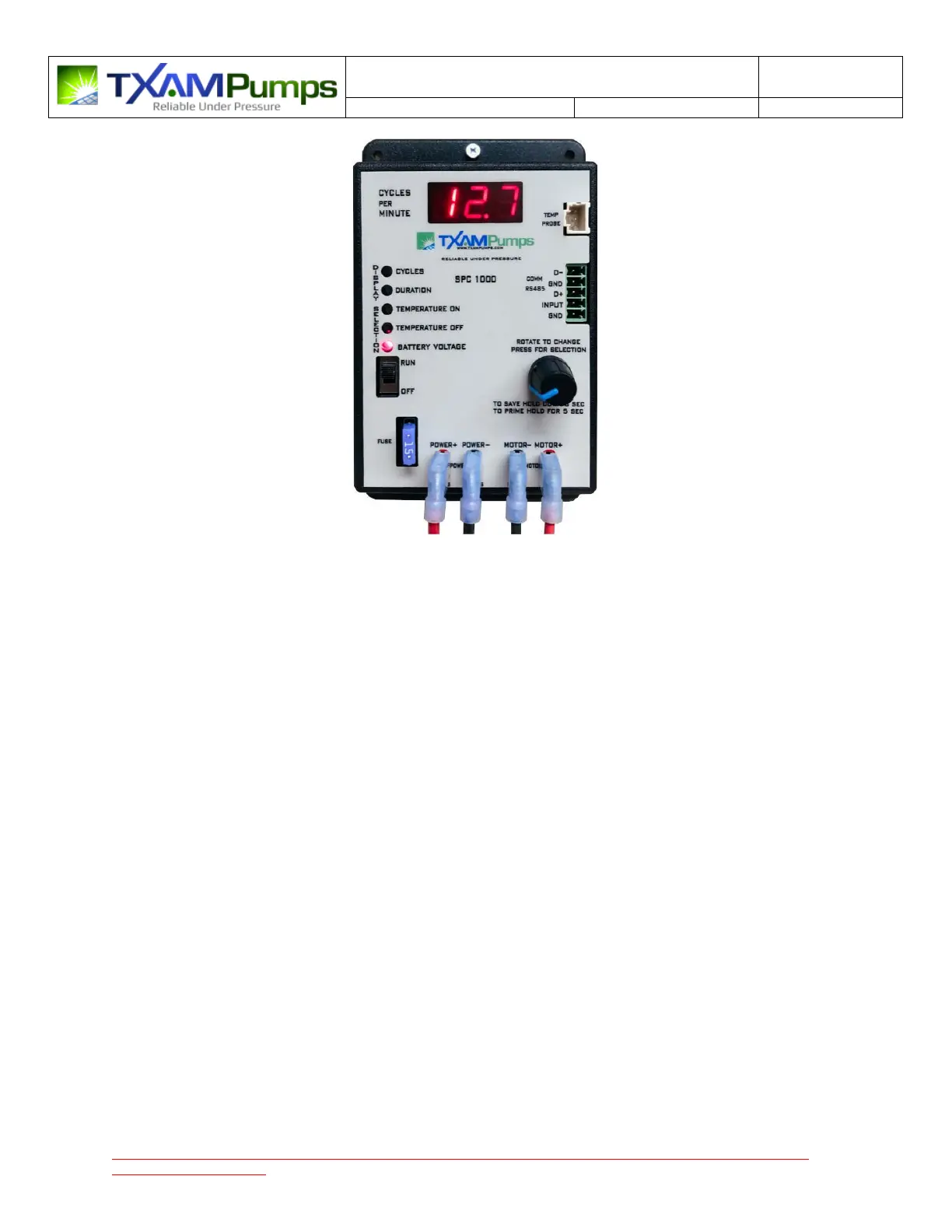
Figure 1 - SPC1000 Basic Pump Control Timer
Operation
When the Power Switch turns on a quick self test is performed and then the battery voltage display will
be selected and displayed on the seven segment display.
Pressing down on the Rotary knob will select/cycle through different displays as indicated by the LEDs.
The display parameters are Cycles per Minute, Duration (on time), Temperature ON setpoint,
Temperature OFF setpoint and Battery Voltage / Temperature probe reading.
To set an operating parameter (such as duration), press the rotary knob down quickly (it will click) to
cycle to the parameter you want to display or change. Each press goes to a different parameter that is
displayed. When you have selected the parameter you want to change as indicated by the LEDs, you
rotate the knob clockwise or counter clockwise to change this parameter setting up or down. When you
have selected the new value you want Press and Hold the knob down for approximately three seconds,
you will see SAV displayed indicating the new parameter set point has been saved. If you do not press
and hold until SAV is indicated the setting is not saved. Quit pressing down when SAV is displayed to
save your setting.
If you continue to hold down the knob for a couple of more seconds after SAV is display a pump prime
cycle will occur (and the parameter will NOT be saved). The display will indicate a prime cycle by
displaying PRI and then start a 30 second count down. During Prime the Pump will remain on until
timed out, after time out normal pump operation will begin. Pressing the knob again during a prime
cycle will extend the ON time another 30 seconds. If you want to abort the prime cycle, you must turn
off the power switch.


 To Next Page