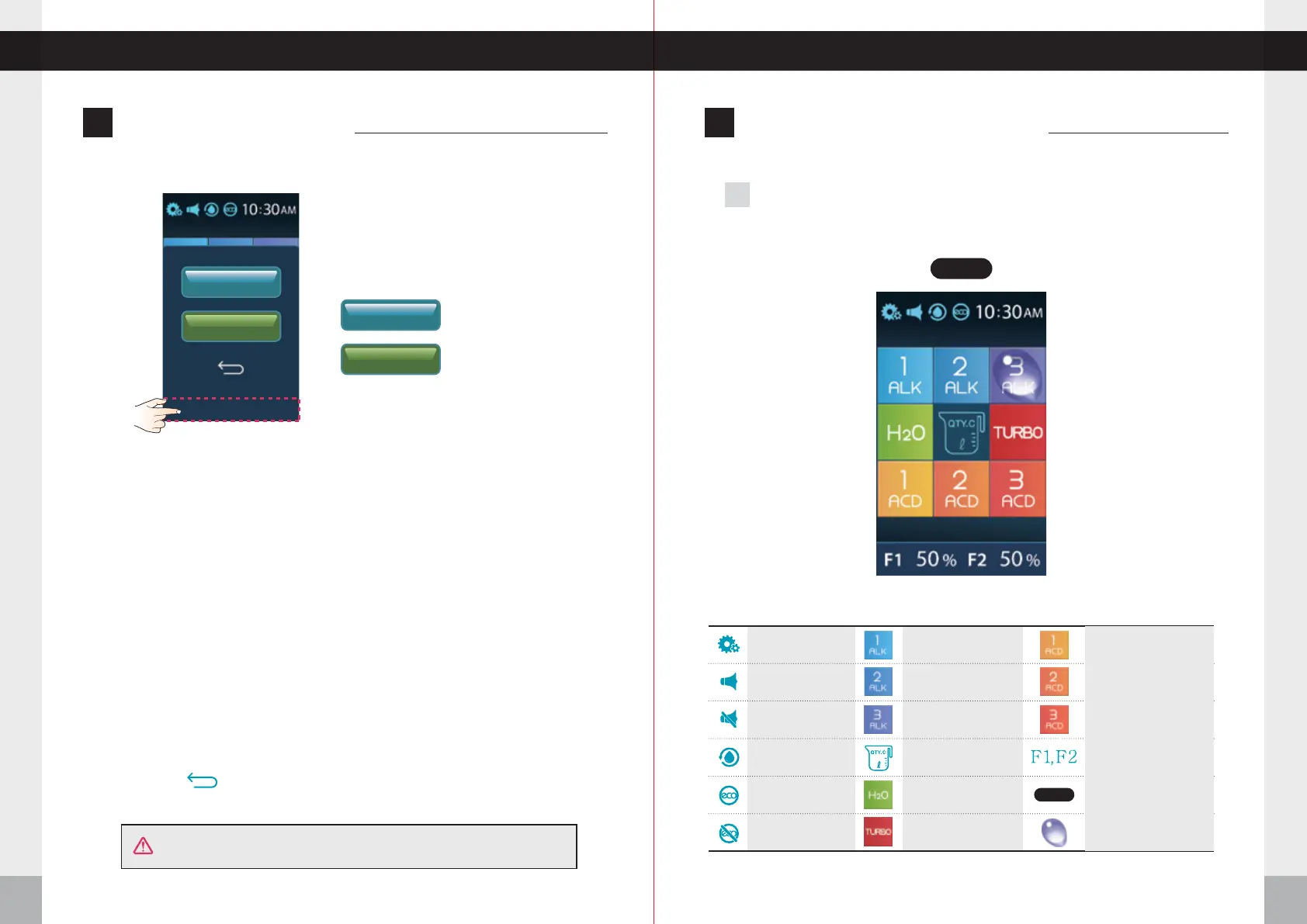
F1 RESET
F2 RESET
F1 100% F2 100%
F1 RESET
F2 RESET
How to Reset the Filters Operation of the Touch Screen
22
23
Operation of the Touch Screen
How to Reset the Filters
Standby Mode 1
1. First Filter Reset
① Press the bottom part of the LCD screen.
A menu will appear on the LCD screen.
② To initialize, press the F1 RESET icon 2 times.
① Press the bottom part of the LCD screen.
A menu will appear on the LCD screen.
② To initialize, press the F2 RESET icon 2 times.
2. Second Filter Reset
Only reset the filters after they have been changed.
CAUTION!
: Filter 1 reset
: Filter 2 reset
ow to Reset the FiltersH peration of the Touch ScreenO
Press the RETURN button to return to the home screen
System setup
Voice on
Voice off
Cleaning
Eco mode on
Eco mode off
Alkaline level 1
Alkaline level 2
Alkaline level 3
Fixed qty discharge
Purified water
Turbo water
Acidic level 1
Acidic level 2
Acidic level 3
Filter usage
Proximity sensor
Proximity sensor
select
The Ionizer with speak and say “First Filter” then
“Initializing was performed” and F1 percentage
will go back to 00%.
The Ionizer with speak and say “Second Filter”
then “Initializing was performed” and F2 percentage
will go back to 00%.


 To Next Page