28
29
Directions for Product Use
Directions for Product Use
Directions for Product Use Directions for Product Use
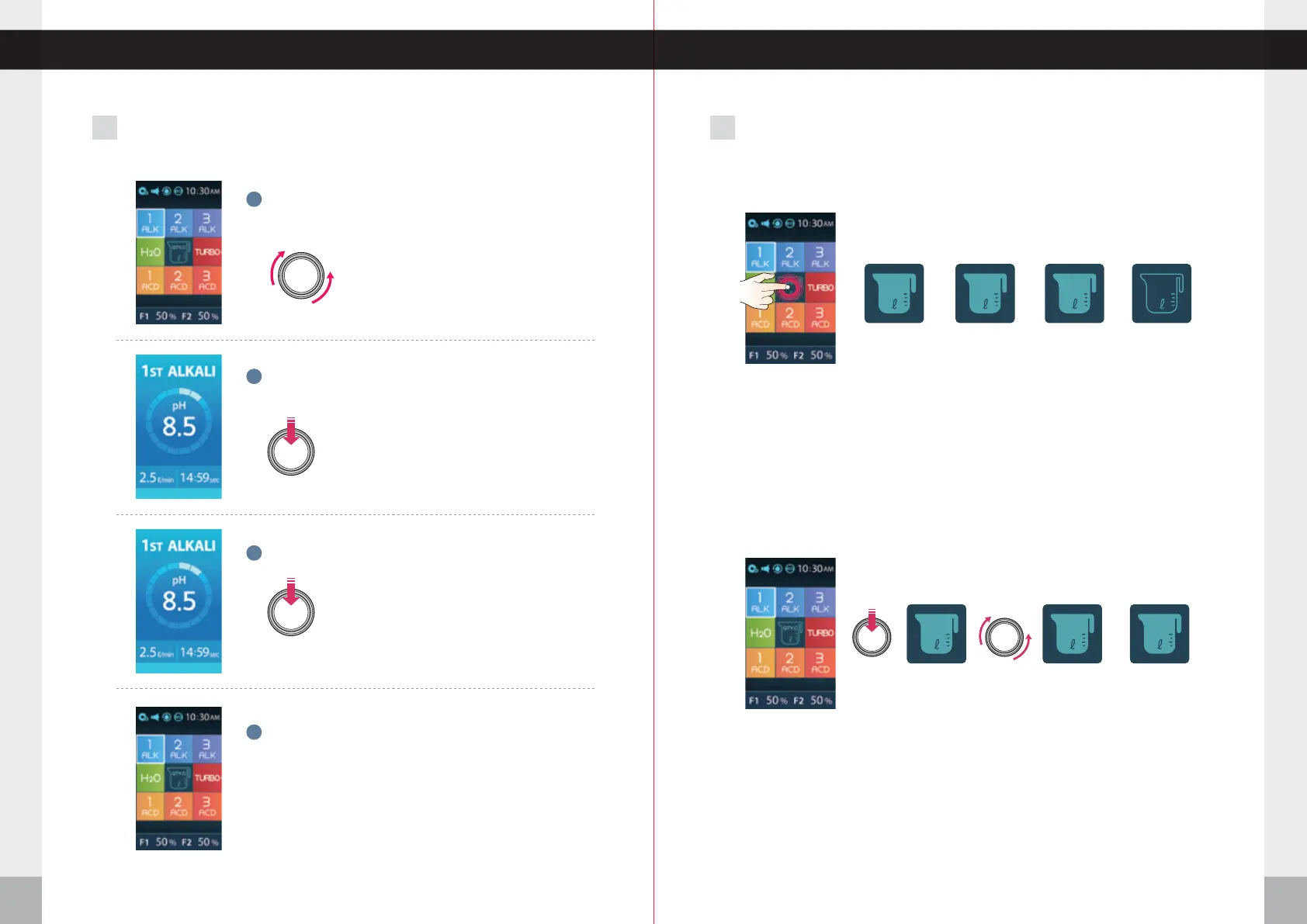
Turn the dial either direction to select function.
The white outline means it's selected.
1
Push the center of the Dial to start the water outflow.
The screen changes to selected level.
2
Press the Jog dial to stop the flow of water.
3
When done, the screen will move to last icon that was
selected and go into standby mode.
4
When using the JOG DIAL2 3 When using xed quantity discharge function
Touch the QTY,C icon and choose the fixed amount of water. (0.5ℓ, 1.0ℓ,1.5ℓ)
( 0.5 》1.0 》1.5 》 release )
Select a desired water mode.
Water outflow stops automatically.
(Fixed quantity discharge function is released after water comes out)
①
②
③
When using the Touch Screen
When using the JOG DIAL
QTY.C
0.5 1.0 1.5
≤ ≤ ≤
0.5 0.2 5.0
Touch the QTY.C button.
Select the fixed amount of water that you need by turning the jog dial.
- Clockwise: Increasing by 100ml (Max.5L)
- Counterclockwise: Decreasing by 100ml (Min.200ml)
Push the discharge level that you need.
Automatic stop after discharging the fixed amount of water that you selected.
(Discharge of water will stop if you press the button again during water discharge.)
After the water discharge completes, the fixed quantity function is released.
①
②
③
④
⑤
~


 To Next Page