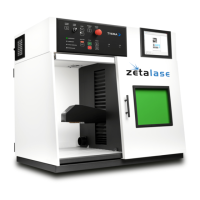
L A S E R S F O R M A R K I N G
System Operation
STEP 1
Turning on the Laser -
STEP 2
Enabling the Laser -
Press the “System Power” Button to turn on the machine
and wait until the PC has booted to the Windows Desktop.
Insert a Laser Enable Key into the “Laser OFF/ON” switch and
turn it to the RIGHT. Please wait 5-10 seconds for the laser to warm up.
***Should you wish to protect the system from unauthorized operation, simply
remove the “Laser Enable Key” and store in a safe location when not in use.
Step 1 & 2 : Power ON & Laser Enable
21
Zetalase™
20
General Manual SE 1


 To Next Page
 Loading...