12
TUNZ is equipped with the ENERGI power system: A built-in high-capacity
rechargeable battery that not only powers your speaker, but can also
charge mobile devices. The 2800mAh battery is powerful enough to fully
charge many smartphones and still have plenty of play time for music.
Voice Prompts
TUNZ has voice prompts that give you information about its battery status.*
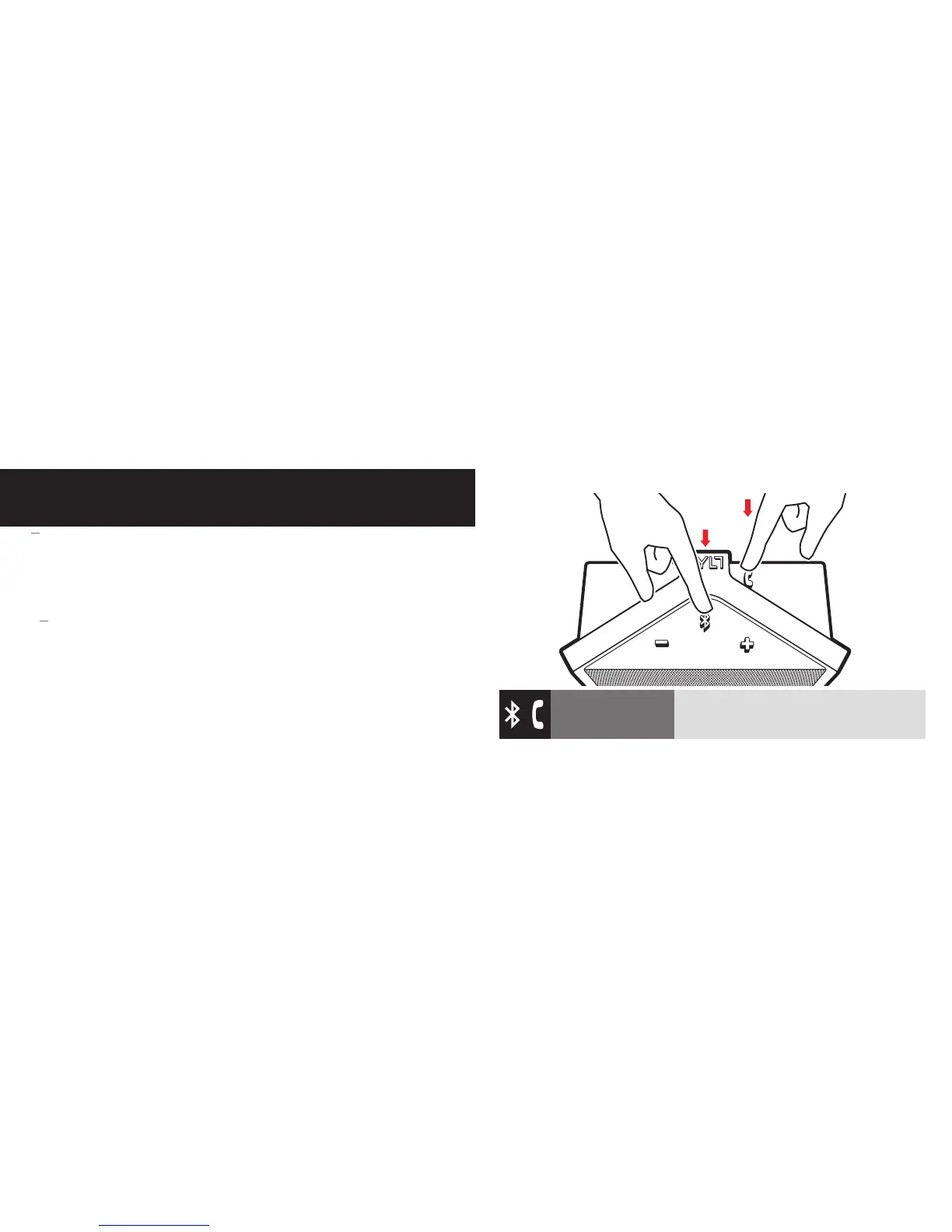
Checking Battery Status: You can check battery status by pressing and
holding both the Multifunction and Phone buttons (together) for 2 seconds.
Voice prompts will tell you the battery level (Full, Medium, or Low).
CHARGING
*Note that voice prompts are disabled when connected with the 3.5mm Audio Input.
Check Battery Status
Press and Hold (2 sec) both the Multifunction
and Phone buttons (together).


 To Next Page