

EasyManua.ls Logo

Tylt TUNZ - User Manual

Tylt TUNZ
17 pages
Print Icon
To Next Page IconTo Next Page
Loading...
Question and Answer IconNeed help?

Do you have a question about the Tylt TUNZ and is the answer not in the manual?

Summary

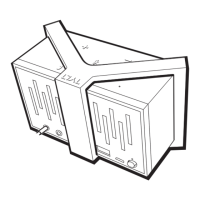
TUNZ Speaker Overview

Physical Controls and Indicators

Details the speaker's buttons, microphone, and LED status light functions.

Package Contents

Lists all items included with the TUNZ speaker.

Connecting Your TUNZ Speaker

Connection Options Overview

Introduces connecting via 3.5mm jack or Bluetooth.

Wired Connection Guide

How to connect TUNZ using the 3.5mm audio cable.

Bluetooth Wireless Pairing

Step-by-step guide for pairing TUNZ via Bluetooth.

Listen and Talk Operations

Music Playback and Volume

Controls for music playback and volume adjustment.

Handling Phone Calls

How to answer, end, reject, or transfer calls via TUNZ.

Touch Control Functions

Explains the touch gestures for various operations.

Charging and Power Management

Battery Status Voice Prompts

How to check the speaker's battery level using voice prompts.

Charging the TUNZ Speaker

Instructions for connecting the TUNZ to a USB charger.

Charging External Devices

Using TUNZ as a power bank for phones and music players.

Customizing Your TUNZ Style

Interchangeable Silicone Bands

How to attach and swap the colored silicone bands.

NFC Functionality

NFC Setup and Use

Steps to set up and use the NFC tag for custom actions.

Technical Specifications

Product Details

Lists key technical specifications like playtime, power, and Bluetooth version.

Safety and Warranty Information

Hearing Safety Guidelines

Precautions to prevent hearing damage from loud sound exposure.

General Safety Precautions

Warnings for medical devices, small parts, and electrical hazards.

Safe Usage and Battery Care

Guidelines for driving, product handling, and battery maintenance.

Battery, Charger Warnings & Warranty

Risks with batteries/chargers and details of the one-year limited warranty.
Summary

TUNZ Speaker Overview

Physical Controls and Indicators

Details the speaker's buttons, microphone, and LED status light functions.

Package Contents

Lists all items included with the TUNZ speaker.

Connecting Your TUNZ Speaker

Connection Options Overview

Introduces connecting via 3.5mm jack or Bluetooth.

Wired Connection Guide

How to connect TUNZ using the 3.5mm audio cable.

Bluetooth Wireless Pairing

Step-by-step guide for pairing TUNZ via Bluetooth.

Listen and Talk Operations

Music Playback and Volume

Controls for music playback and volume adjustment.

Handling Phone Calls

How to answer, end, reject, or transfer calls via TUNZ.

Touch Control Functions

Explains the touch gestures for various operations.

Charging and Power Management

Battery Status Voice Prompts

How to check the speaker's battery level using voice prompts.

Charging the TUNZ Speaker

Instructions for connecting the TUNZ to a USB charger.

Charging External Devices

Using TUNZ as a power bank for phones and music players.

Customizing Your TUNZ Style

Interchangeable Silicone Bands

How to attach and swap the colored silicone bands.

NFC Functionality

NFC Setup and Use

Steps to set up and use the NFC tag for custom actions.

Technical Specifications

Product Details

Lists key technical specifications like playtime, power, and Bluetooth version.

Safety and Warranty Information

Hearing Safety Guidelines

Precautions to prevent hearing damage from loud sound exposure.

General Safety Precautions

Warnings for medical devices, small parts, and electrical hazards.

Safe Usage and Battery Care

Guidelines for driving, product handling, and battery maintenance.

Battery, Charger Warnings & Warranty

Risks with batteries/chargers and details of the one-year limited warranty.

Tylt TUNZ Specifications

General IconGeneral
BrandTylt
ModelTUNZ
CategorySpeakers
LanguageEnglish