MACHINE OPERATIONS
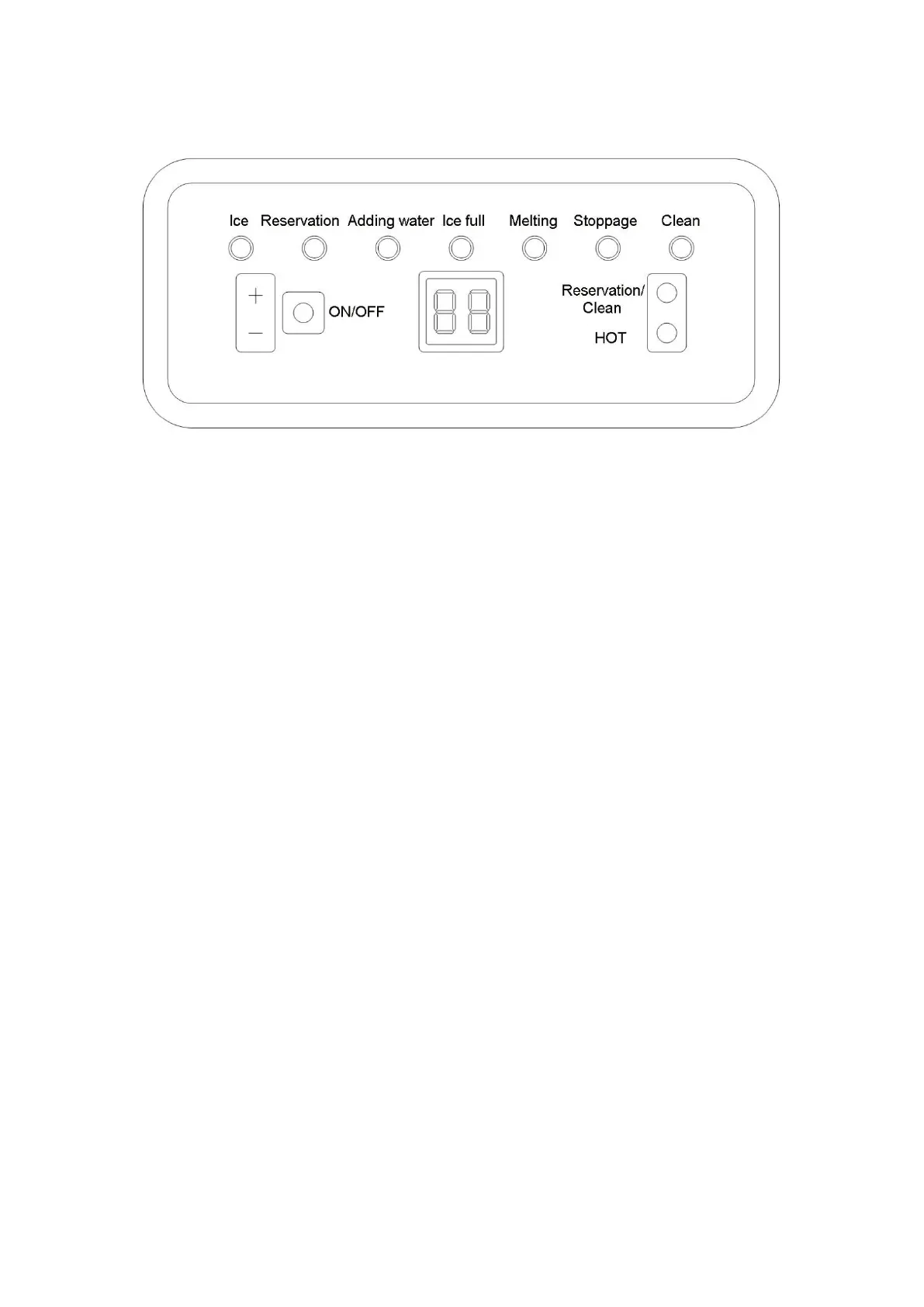
Operation Panel
Ice making operation:
1. Connect the machine to the power and press the “ON/OFF” button. The “ice
making” indicator will light on.
Through “+”/”-” to increase or decrease ice making time ,which will be effected at the
current cycle .
Press “+” button,if the screen display “1”,means ice making time will be added 1
min,max time can be added 8min. If press “-” button and display “-1”,means ice making
time will be decreased 1min,the max time is 5 min. That means the time can be
adjusted from -5 to 8 min.
2. When the countdown of time is finished, the “melting” indicator will light on. The ice
cubes will come off the freezing panel later.
3. After the ice cubes come off. The machine will enter another loop of ice making
automatically.
Auto Turning On/Off:
1.
When the machine is turned off while connected to the power, press the
“Reservation/Clean” button and the “+”/“-” button to set the auto-turning-on time (in
hours). The machine will automatically turns on after the countdown is finished.
2.
When the machine is at the middle of ice making, press the “Reservation/Clean”
button and the “+”/“-” button to set the auto-turning-off time (in hours). The machine
will automatically turns off after the countdown is finished.
Self-cleaning:
1. When the machine is turned off while connected to the power, press the
“Reservation/Clean” button and hold it for a while. The machine will automatically
enter self-clean program.


 To Next Page