Doc No. FM0637 issue E Page 3
Registering a Pendant onto an Advent xt warden call system
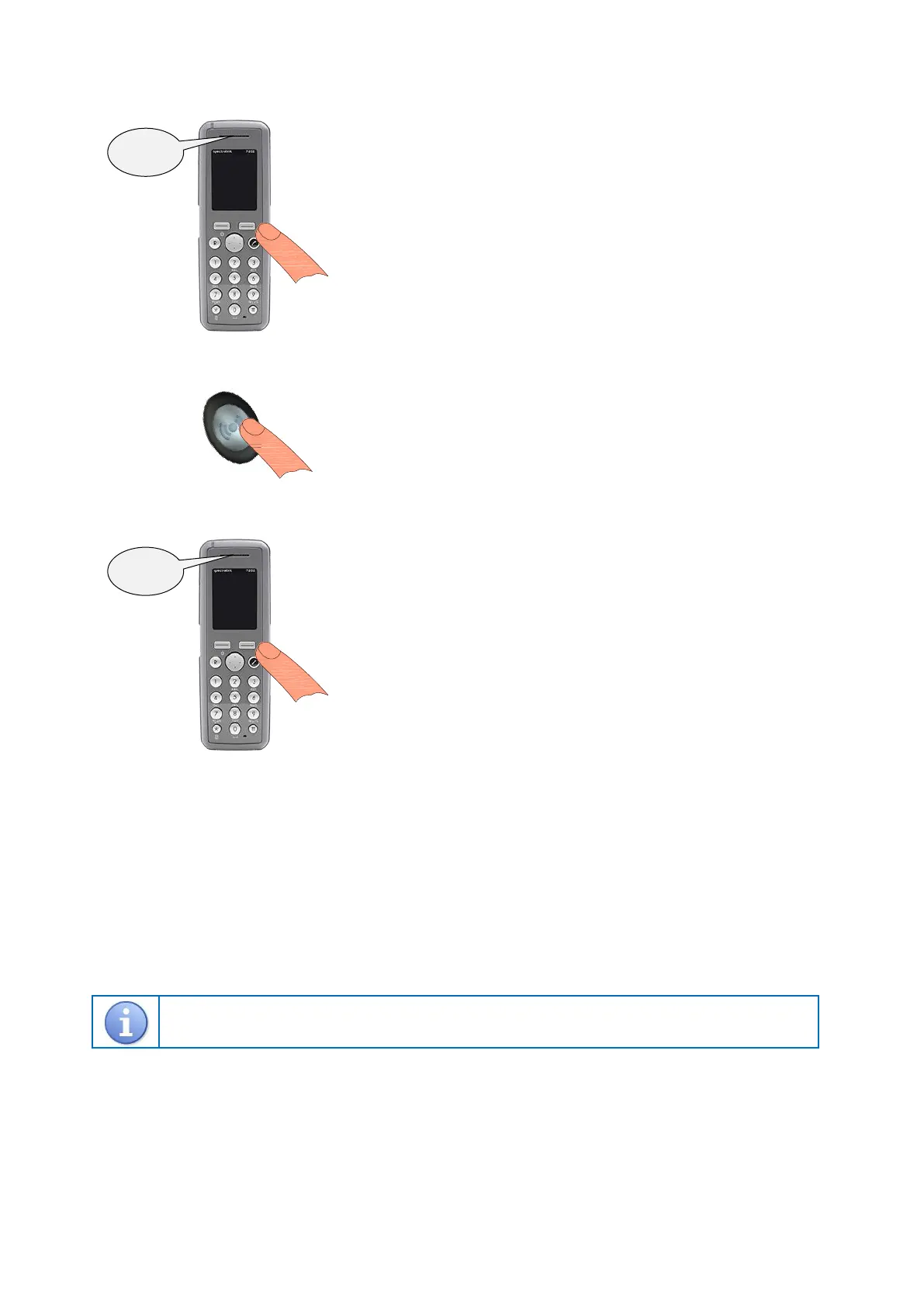
1. Put the Advent xt system into radio device learn mode…
2. Activate the pendant…
3. Exit the Advent xt system radio device learn mode…
4. Activate the pendant and check a pendant alarm call is reported on the warden call system.
Deleting a Pendant from an Advent xt warden call system
Press the LINE key and wait for the “Ready” prompt.
Enter 5 0 0 1 followed by the key.
Enter the flat number the pendant is being deleted from followed by the key.
Activate the pendant to be deleted.
Wait for the “Pendant Disabled – Enter Flat” prompt.
Press the # key and wait for the “Ready” prompt, then press the LINE key to clear the connection.
Refer to the Advent xt operator’s manual (Doc No. FM0420) provided with the warden call system for more
information on programming and testing radio devices.
Using the Manager’s DECT telephone;
Press the LINE key and wait for the “Ready” prompt.
Enter 5 0 0 0 followed by the key.
Enter the flat number the pendant is being installed in followed by the key.
You now have 1 minute to activate the pendant.
Using the Manager’s DECT telephone;
Press the # key and wait for the “Ready” prompt.
Press the LINE key to clear the connection and the warden call system is
now back in normal operating mode.
Press the SILVER button once, the light will flash RED for several seconds.
Wait for the “Enter Location Code” prompt then press 0 (no location)
followed by the key.
Wait for the “Pendant Enabled – Enter Flat” prompt.


 To Next Page