9
8. CONFIGURING THE MENU SETTINGS
Initial Setup
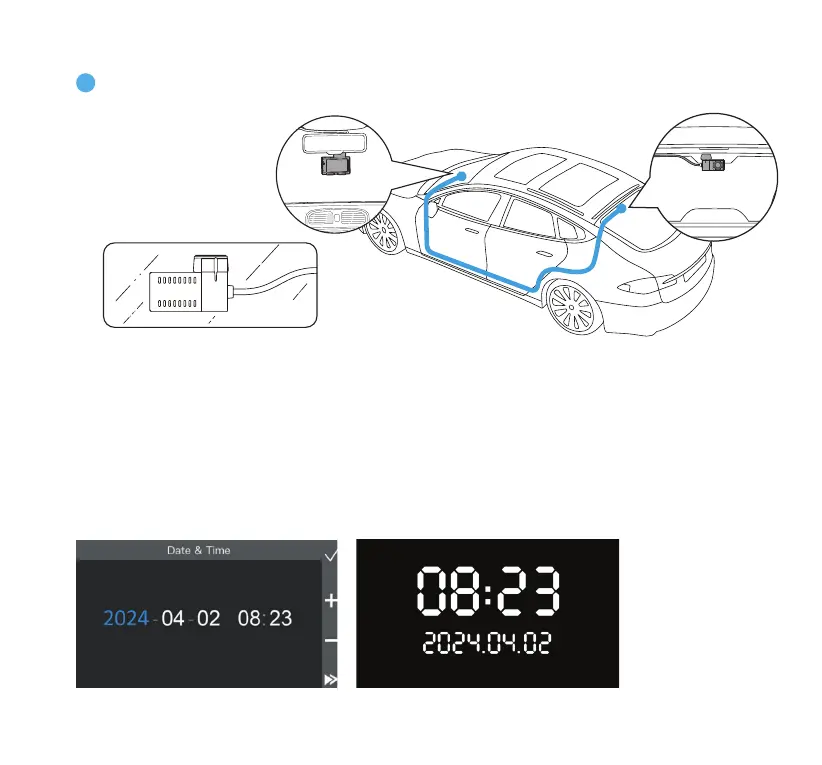
Set the date & time before using the dashcam. The date stamps that appear on all future recordings will
follow this setting. You may also sync the date & time to your phone by connecting the dashcam to the
TYPE S Drive App.
Mount the rear camera on the rear window inside your vehicle. Adjust the camera to your
desired angle. Route and hide the power cable in your vehicle.
6
CAUTION: Before mounting the camera on your
rear window, please power on the dashcam to
ensure that it is in the correct orientation.



 To Next Page