10
Auto-Calibration
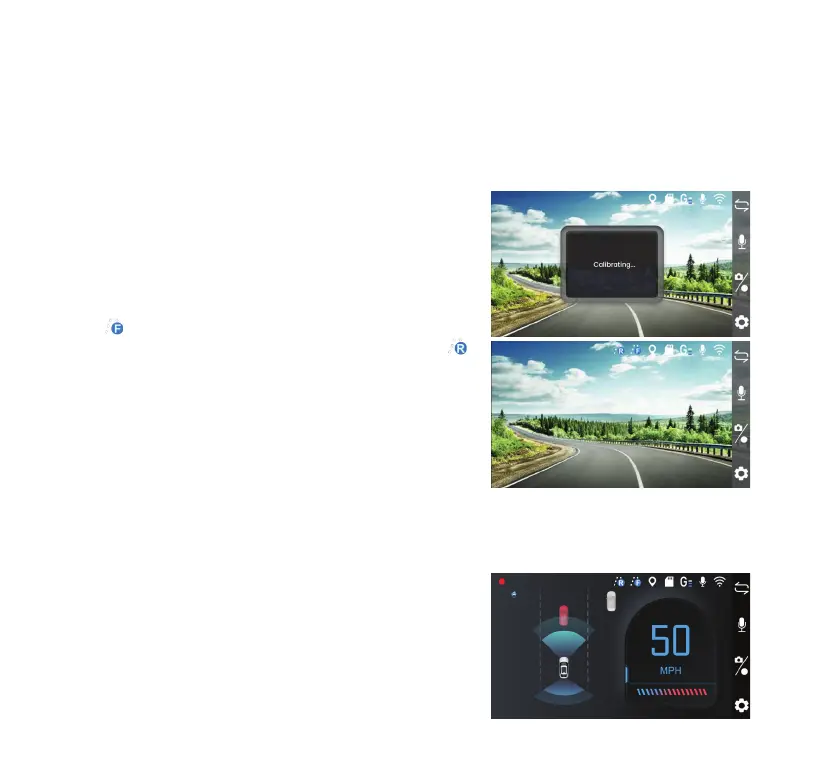
The dashcam features an Advanced Driver Assistance System (ADAS) function. Upon initial use, the
device will automatically calibrate to enhance the accuracy of detecting safety events. Please note
that this calibration process may take up to 15 minutes to complete.
The calibration will complete once the following conditions are met:
- Driving on a straight and level road
- Vehicle speed is greater than 13 MPH (20 KM/H)
- Ensuring a clear view of the sky for GPS signal reception
- Avoid switching lanes in order for the system to recognize
the lane markings
The
icon will appear in live view when calibration is
completed. If you have the rear camera connected, the
icon will appear as well.
WARNING: Please ensure that you complete the auto-
calibration process. Failure to do so may result in inaccurate
data, potentially aecting your safety and the performance
of Advanced Driver Assistance features while driving.
NOTE: Recalibration is required when transferring the dashcam to a dierent vehicle. To do this,
reset the dashcam to factory defaults under System Setting (refer to page 17), and then repeat the
calibration process.
Video Mode
• This is the default recording setting. The dashcam will start
recording automatically once it is powered on.
• By default, videos are recorded in 1-minute segments and
saved onto the MicroSD card. When the memory reaches
capacity, new videos will overwrite the old ones.



 To Next Page