12
Advanced Driver Assistance System (ADAS)
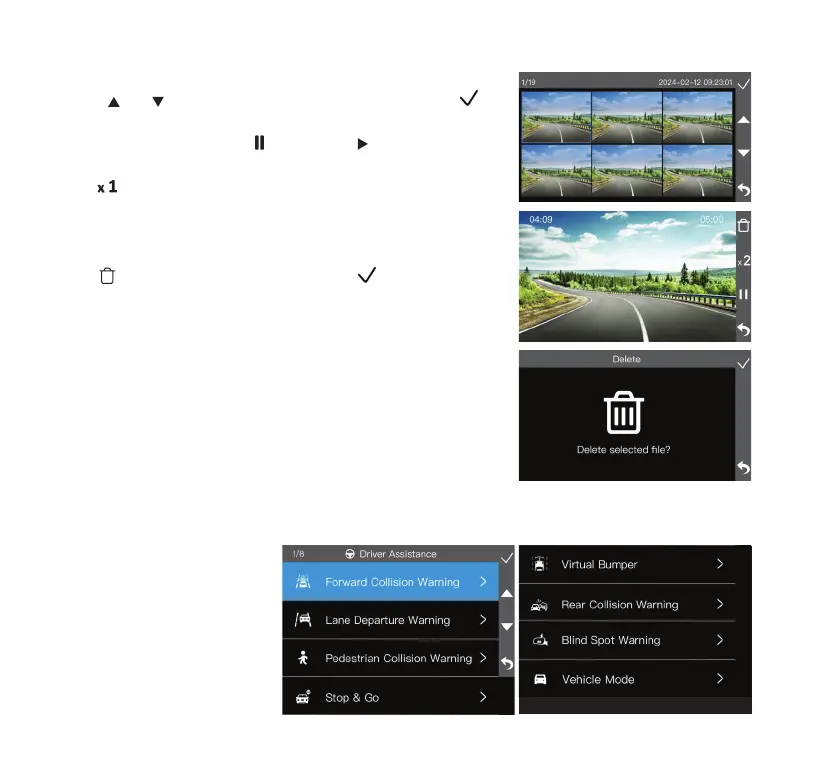
• To adjust the Advanced Driver Assistance System settings,
select Driver Assistance in the settings menu.
• Navigate to Vehicle Mode
and designate your vehicle
as either a Sedan or Truck.
Make sure the rear camera is
connected in advance.
• Within each function setting,
adjust the level of sensitivity
between High, Mid, Low and
OFF.
Play Back and Manage Files
• Utilize
and to browse through the previews, then click
to open the le in full screen.
• During video playback, click
to pause and to resume the
video.
• Click
to adjust video speed to x 2, x 4 or x 8.
Erase Files
• Click
to delete the current le, then click to conrm the
erase.



 To Next Page