17
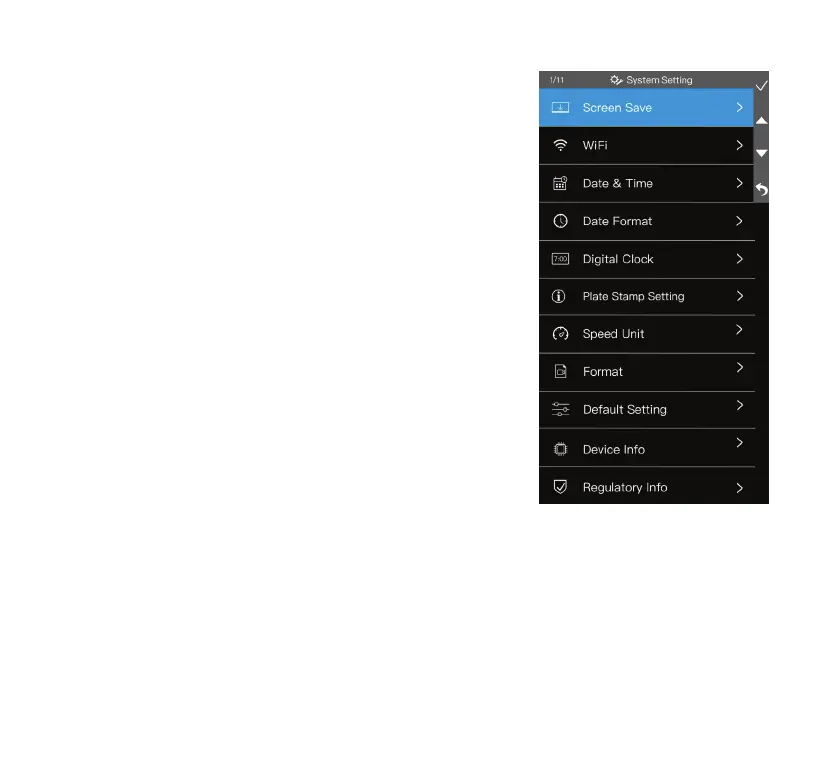
System Setting
1. Screen Save
Select the period of inactivity that prompts the activation of
screen save mode. While in screen save mode, a digital clock
will be displayed on the screen.
2. WiFi
The auto-sync feature via WiFi allows you to view/manage/
download les onto your smart device wirelessly via the TYPE S
Drive App.
NOTE: Refer to page 20 for pairing procedure.
3. Date & Time
Update the date & time shown on the dashcam and on all its
recorded media les.
4. Date Format
Select your desired date format.
5. Digital Clock
Enable or disable the digital clock displayed during screen save
mode. If set to OFF, the screen save mode will present a black
screen instead.
6. Plate Stamp Setting
Input your vehicle license plate number here. When activated,
your plate number will be displayed on all recorded media les.
7. Speed Unit
Select the unit of speed between MPH and KM/H. Default
speed unit is set as MPH.
8. Format
Format the MicroSD card. This action will erase all data stored
on the MicroSD card.
9. Default Setting
Reset settings to factory defaults.
10. Device Info
Show the current rmware
version of the dashcam.
11. Regulatory Info
Show regulation related
information.



 To Next Page