24
Gallery
Click
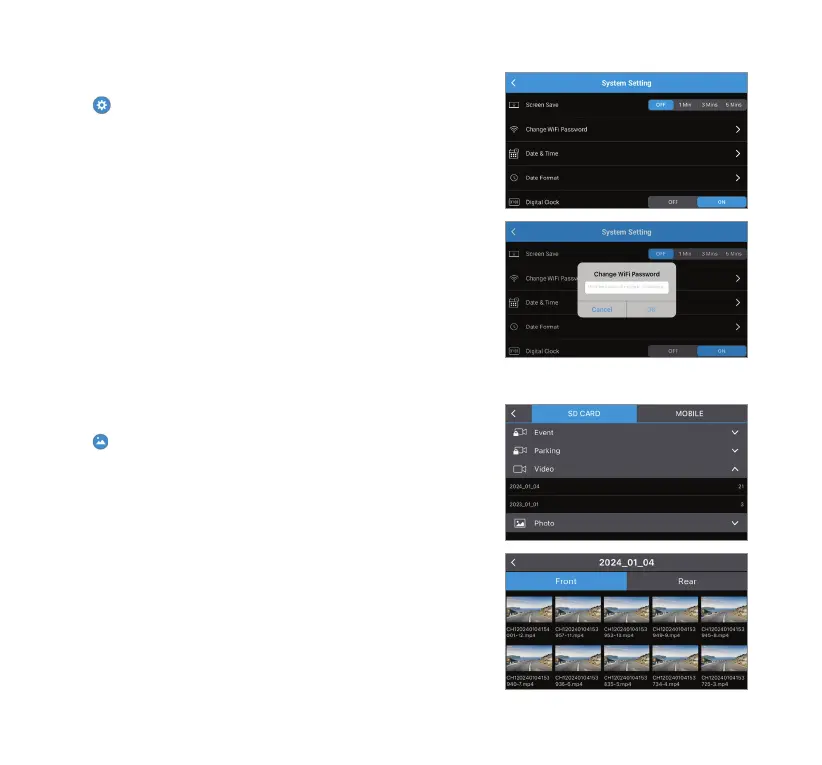
on the main interface to enter the media gallery. Select
SD CARD to access all media les sorted from latest to oldest in
the MicroSD card. Scroll down the list to access the le.
In each le, you can browse between front and rear camera
footages and photos.
NOTE: Rear camera footages and photos only available when
the rear camera is connected.
Change WiFi Password
Click
to open Main Menu, then navigate to System Setting >
Change WiFi Password. Enter your preferred password (must be
exactly 8 numeric characters), then click OK.
Connect to your dashcam’s WiFi network again with the revised
password.
NOTE: It is recommended to reset your WiFi password upon
initial connection to protect your data from unauthorized
access.



 To Next Page