25
SD CARD
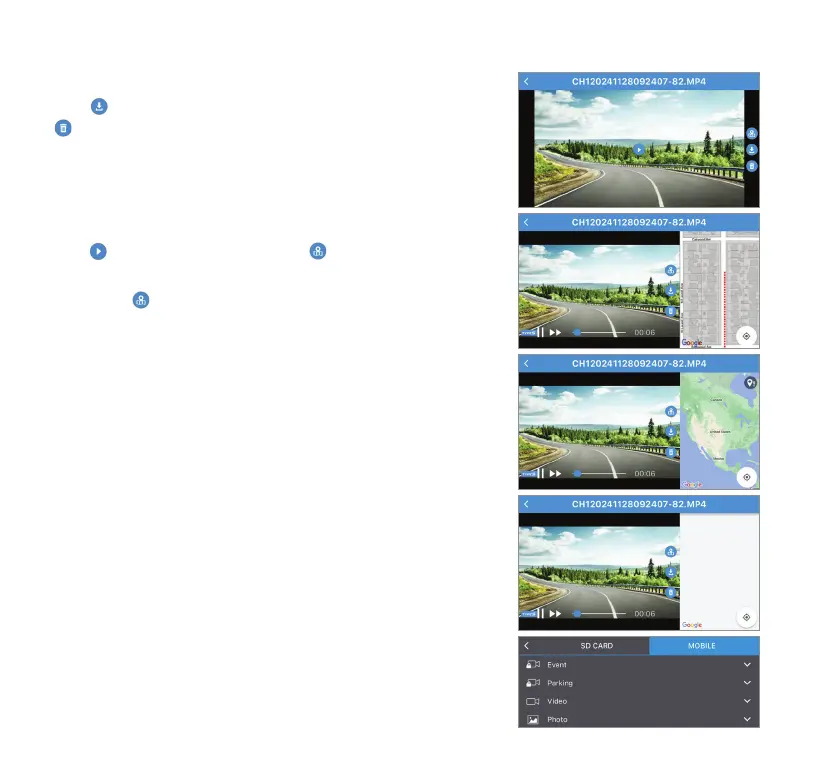
Click
to download the selected le onto your smart device or
to delete the le from the MicroSD card.
GPS Information
Click
to play the footage, and click to view embedded GPS
location simultaneously during playback.
NOTE: The
icon will only appear if the GPS signal was present
while the recording took place.
GPS Signal Status 1
The GPS receiver was still searching for GPS signal when the
video was being recorded. If this status persists through
multiple recordings, please contact our technical support for
troubleshooting.
GPS Signal Status 2
Map tracking is not working. Please turn on your mobile data.
MOBILE
Select MOBILE to access and manage downloaded les on your
smart device, even when it is disconnected from the dashcam.



 To Next Page