Flight Control
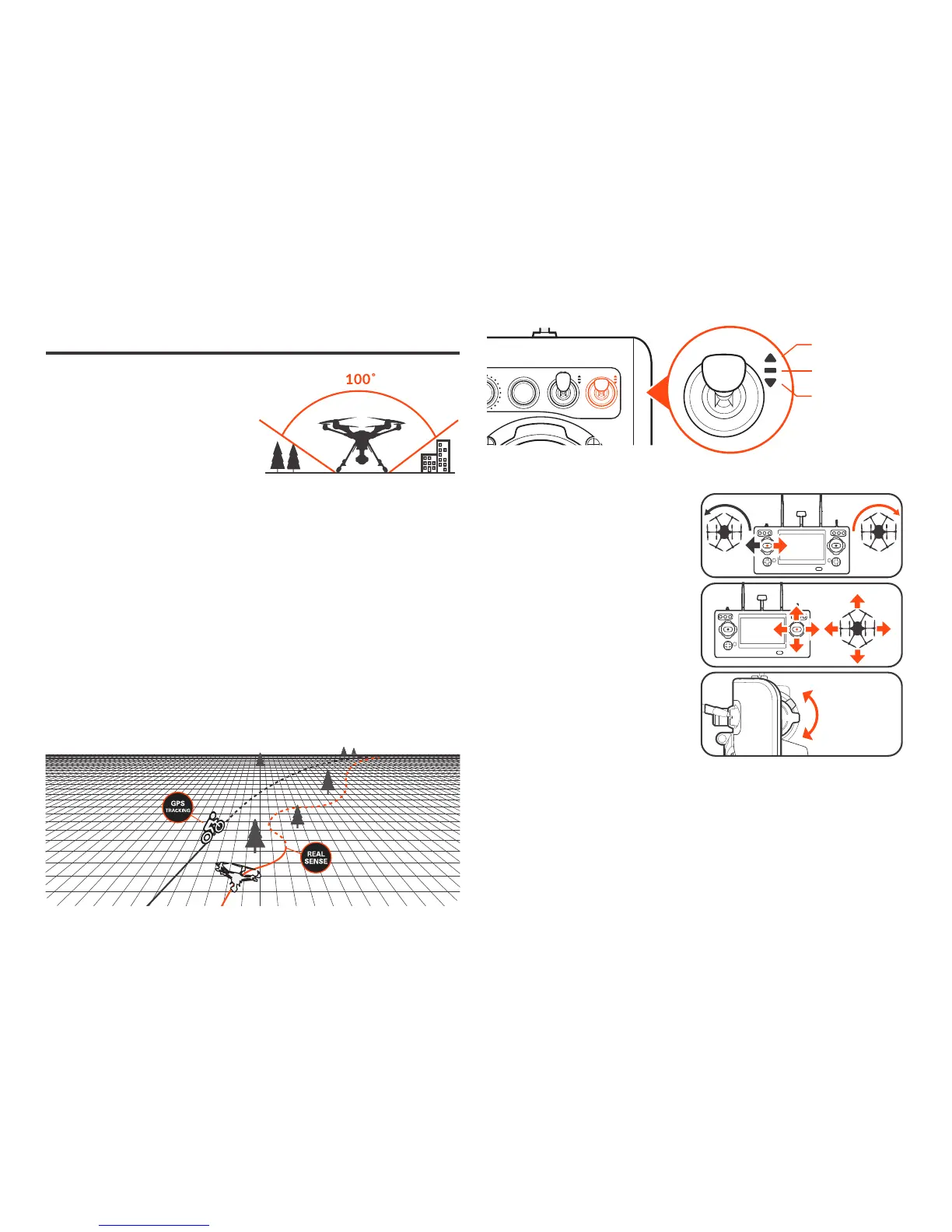
RealSense™ Module
Capable of detecting obstacles and intelligently navigating around them,
TYPHOON H PLUS with RealSense™ Technology builds a 3D model of the
world, allowing pilots to focus on the subject without worrying about flying
into obstacles in follow me mode.
SPORT MODE
ANGLE MODE
RTL MODE
Never attempt to operate the
TYPHOON H PLUS near tall build-
ings /obstructions that do not over a
clear view of the sky (a minimum
clearance of 100°).
OPTICAL FLOW MODE
Optical Flow Mode is most suitable when powering on the aircraft without
GPS locked. When using Optical Flow to lock the position of the aircraft,
TYPHOON H PLUS can hover at its current altitude automatically and the max
flight speed will be limited to 8.9 mph (4 m/s).
ANGLE MODE
When in Angle Mode and GPS is
available, the TYPHOON H PLUS
will respond according to the ST16S
remote controller.
Tips: Fly low and slow initially.
Slow(Lo Speed) position is ideal
for precision flight. High-speed
(Hi Speed) position is used when
transiting broad areas.
Hi Speed
Lo Speed
SPORT MODE
The TYPHOON H PLUS has high reaction sensitivity in Sport Mode. The maxi-
mum flight speed of the aircraft is increased to 45mph (20 m/s).
RTL MODE
When in RTL Mode, TYPHOON H PLUS will return to the home point and
automatically lower the retractable gear to land.



 To Next Page